
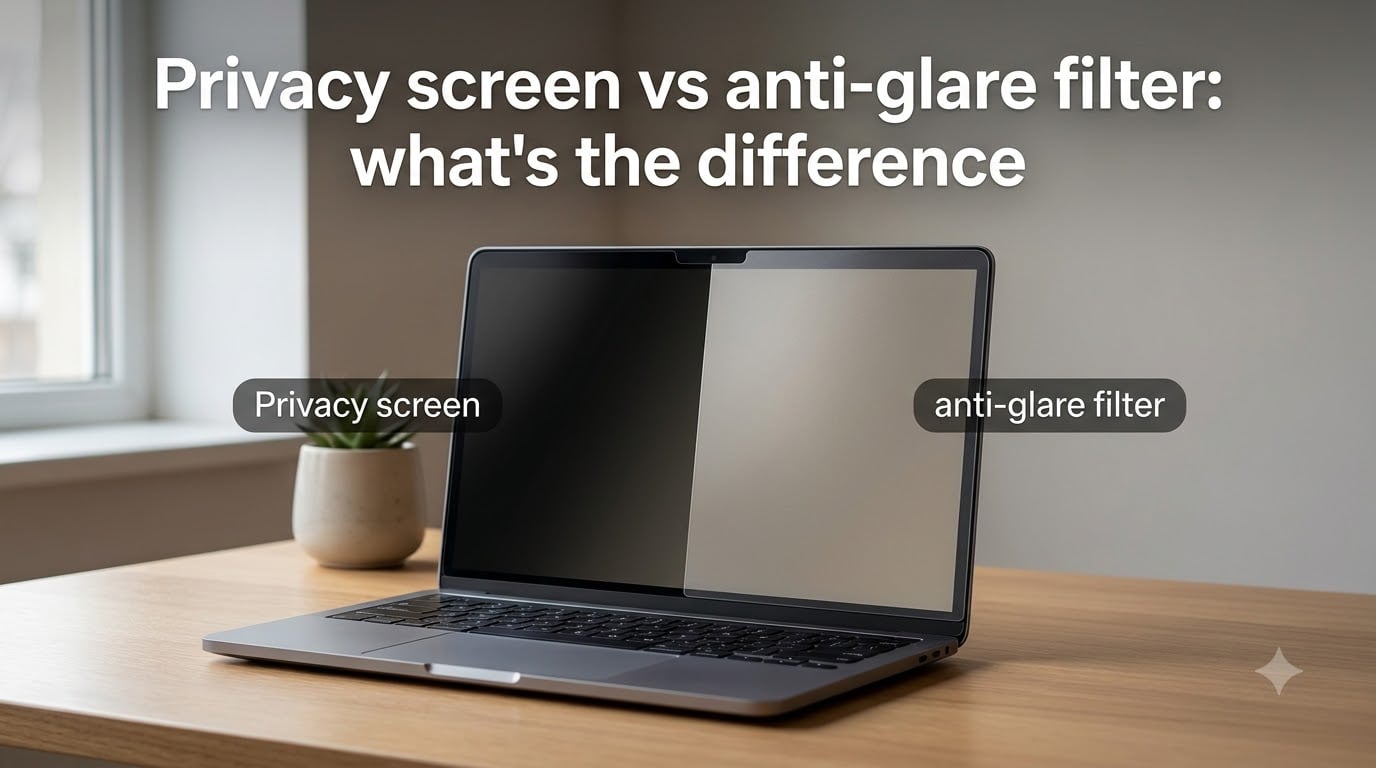
A privacy screen limits who can see your screen from the side, while an anti-glare filter reduces reflections from bright lights so you can see your screen more clearly. The privacy screen vs anti-glare filter choice comes down to one question: do you need to protect your screen from onlookers, or do you need to protect your eyes from reflections?
I have tested both types on laptops, phones, and monitors side by side for several months. In this guide, I will walk you through exactly how each technology works, where each one shines, and the trade-offs nobody talks about, like battery drain and touchscreen sensitivity. By the end, you will know which one matches your setup.
Table of Contents
- What Is a Privacy Screen and How Does It Work?
- What Is an Anti-Glare Filter and How Does It Work?
- Privacy Screen vs Anti-Glare Filter: Key Differences
- Side-by-Side Comparison Table (2026)
- When to Choose a Privacy Screen
- When to Choose an Anti-Glare Filter
- Impact on Screen Quality, Battery, and Touchscreens
- Eye Strain and Comfort Considerations
- Frequently Asked Questions
- Final Verdict: Privacy Screen vs Anti-Glare Filter
What Is a Privacy Screen and How Does It Work?
A privacy screen is a thin physical filter that restricts your display’s viewing angle so only someone sitting directly in front can read the content. Anyone looking from the side sees a darkened or completely black screen.
Microlouver technology explained
Privacy screens use a layer of tiny vertical blinds called microlouvers. These louvers are thinner than a human hair and run top to bottom across the entire filter. Light from your display passes straight through to the user directly in front, but light traveling at an angle gets blocked by the louvers.
This is the same principle used in ATM screens and airport check-in kiosks. The typical viewing cone is around 60 degrees total, meaning 30 degrees to each side of center. Step outside that cone and the screen becomes unreadable.
Common attachment methods
You can mount a privacy screen in three main ways. Adhesive strips stick directly to your bezel and let you flip the filter up and down. Magnetic strips attach to the sides of your screen and remove easily. Slide-mount frames hang over the top edge of your monitor or laptop. Each method has its own trade-off between permanence and convenience.
What Is an Anti-Glare Filter and How Does It Work?
An anti-glare filter is a thin film that scatters reflected light to reduce glare, reflections, and harsh shine on your screen. It does not hide your screen from side viewers. It works on the same principle as a matte screen protector.
Matte and micro-textured surfaces
Most anti-glare filters use a micro-textured matte surface. The texture is so fine you cannot see it with the naked eye, but it diffuses incoming light in many directions instead of bouncing it straight back into your eyes. That diffused reflection is what we perceive as reduced glare.
The trade-off is a slight softening of the image. Text can look a touch less crisp compared to a glossy display, and colors appear slightly muted. For most office work and reading, this is a worthwhile trade.
How anti-reflective coatings differ
Some filters use anti-reflective (AR) coatings instead of texture. AR coatings are smooth and use thin-film interference to cancel out reflected lightwaves. They preserve more sharpness than matte filters but are usually more expensive and harder to mass-produce for large screens.
Privacy Screen vs Anti-Glare Filter: Key Differences
Privacy screens protect your data from shoulder-surfers. Anti-glare filters protect your eyes from reflections. They solve different problems, and combining them only works in a few specific products.
Viewing angle is the biggest split. A privacy screen actively blocks anyone off-axis. An anti-glare filter does not restrict viewing angle at all. Anyone nearby can read your screen just as easily with or without an anti-glare filter.
Brightness impact is the second major difference. Privacy screens absorb a lot of light because the microlouvers block side rays. Most users report needing to turn brightness up 20 to 40 percent to compensate. Anti-glare filters have a smaller brightness hit, usually around 5 to 15 percent, because they only scatter reflections rather than blocking your display’s light.
Display clarity sits on the opposite side. Anti-glare filters slightly soften the image. Privacy screens also soften the image, but they add visible horizontal or vertical lines when you look closely. For high-resolution displays and creative work, both will cost you some sharpness.
Side-by-Side Comparison Table (2026)
| Feature | Privacy Screen | Anti-Glare Filter |
|---|---|---|
| Primary purpose | Block side viewers | Reduce reflections |
| Viewing angle | Limited to about 60 degrees | Unchanged |
| Brightness loss | 20 to 40 percent | 5 to 15 percent |
| Image clarity | Slight texture lines | Slight softening |
| Eye strain relief | Indirect, via less squinting | Direct, fewer reflections |
| Best for | Public spaces, sensitive data | Bright offices, outdoor use |
| Touchscreen support | Limited models | Widely available |
When to Choose a Privacy Screen
Choose a privacy screen if your priority is keeping what is on your screen private. The following situations are the strongest use cases.
You work on trains, planes, or in coffee shops and handle sensitive information.
You are a healthcare, legal, or finance professional under HIPAA, GDPR, or similar rules.
You travel for work and regularly open confidential documents in airports or hotel lobbies.
You share a desk in an open office and want to keep client data or HR screens hidden.
You are a student taking exams or reviewing personal records in shared spaces.
One Reddit user in r/privacy summed it up this way: the screen works great in public, but the brightness hit is real and you will find yourself cranking the brightness up every time.
When to Choose an Anti-Glare Filter
Choose an anti-glare filter if your priority is comfort and visibility in bright environments. These are the situations where it pays off most.
You work near windows with strong daylight hitting your screen.
You do outdoor or field work and need to read your phone in sunlight.
You sit under overhead fluorescent lights that create harsh reflections.
You experience eye strain or headaches after long screen sessions.
You are a rideshare driver or delivery worker using a mounted phone or tablet.
Forum users who work outdoors consistently prefer anti-glare. A driver in r/uberdrivers reported that switching to a matte protector made navigation maps readable in direct sun for the first time.
Impact on Screen Quality, Battery, and Touchscreens
Privacy screens can drain your battery faster on laptops and phones. Because they block so much side light, your device compensates by pushing brightness higher. Higher brightness on OLED or LCD panels is one of the largest battery consumers. On a phone, expect roughly 10 to 20 percent more battery use per charge when running at full brightness.
Touchscreen responsiveness is another concern. Most magnetic privacy screens work fine with touch. Adhesive privacy screens with thick plastic can occasionally cause missed taps, especially at the edges. Anti-glare filters are generally thinner and have less impact on touch sensitivity.
High-resolution displays suffer more from both filter types. On a 4K monitor or a Retina laptop, the microlouver lines in a privacy screen can become faintly visible. On a 1080p screen, you usually cannot see them. Anti-glare filters soften fine text on high-DPI displays, which is why some creative professionals skip them entirely.
Eye Strain and Comfort Considerations
Anti-glare filters help eye strain more directly. They reduce the harsh reflections that force your eyes to refocus constantly. Privacy screens help eye strain only indirectly, by reducing the squinting you do when side light bounces off your screen.
Neither type blocks blue light on its own, though many filters now bundle blue light filtering into the material. If your main comfort concern is afternoon eye fatigue, an anti-glare filter with a blue light layer is the strongest combination.
Frequently Asked Questions
What are the disadvantages of a privacy screen?
Privacy screens reduce screen brightness by 20 to 40 percent, which forces you to raise brightness and drains battery faster. They also make screen sharing awkward, add faint visible lines on high-resolution displays, and limit compatible touchscreen options.
Which is better, an anti-glare or clear screen protector?
An anti-glare protector is better if you work in bright environments or experience eye strain from reflections. A clear protector is better if you prioritize color accuracy, sharpness, and full viewing angle for media or creative work.
Does a privacy screen help with sun glare?
A privacy screen offers only minor help with sun glare. Its microlouvers block side viewers, not reflections. An anti-glare filter is the better choice for outdoor sunlight readability.
Is a privacy screen better for eyes?
A privacy screen is not directly better for eyes. Anti-glare filters reduce reflections that cause eye strain more effectively. Privacy screens help only by reducing the squinting triggered by side light hitting your screen.
Final Verdict: Privacy Screen vs Anti-Glare Filter
The privacy screen vs anti-glare filter decision comes down to your biggest daily annoyance. If strangers looking at your screen stresses you out, get a privacy screen. If reflections and bright lights tire your eyes, get an anti-glare filter.
For most people working at a desk near a window, an anti-glare filter delivers the most noticeable daily comfort. For travelers and remote workers in public spaces, a privacy screen is the right tool. If you handle both concerns, look for a hybrid privacy screen that adds anti-glare texture to the microlouver layer, available from brands like Kensington and 3M.