
Dead zones are the silent killer of a good Wi-Fi experience. You move your laptop from the living room to the bedroom and suddenly your video call freezes, your stream buffers, and your phone switches to cellular data. We have all been there, and the frustration is real.
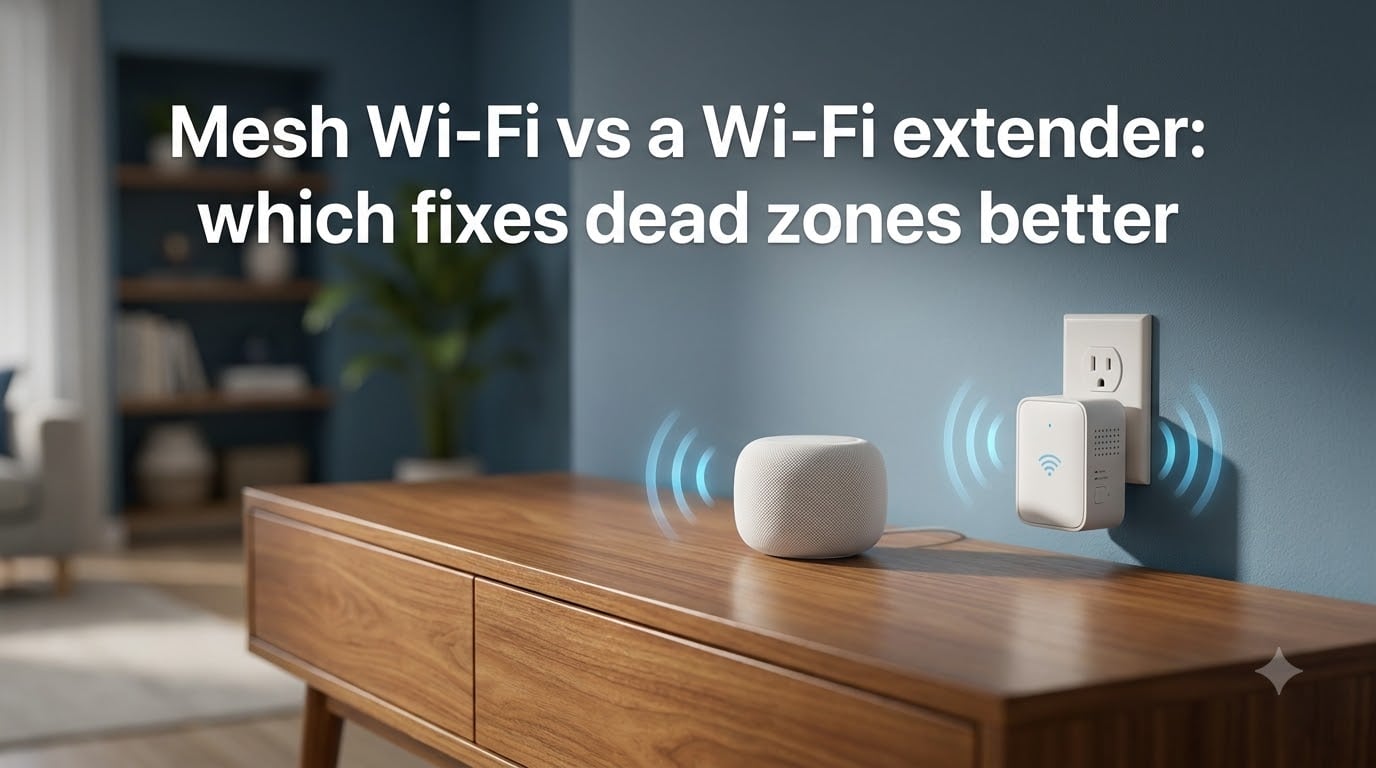
The question almost every homeowner eventually asks is simple: mesh Wi-Fi vs a Wi-Fi extender, which fixes dead zones better? Both promise to expand your coverage, but they do it in very different ways and at very different price points.
In this guide, we break down exactly how each technology works, compare them on coverage, speed, setup, cost, and real-world performance, and give you a clear verdict based on your home and budget. By the end, you will know which one is the right fix for your specific dead zone problem.
Table of Contents
- Quick Comparison: Mesh Wi-Fi vs Wi-Fi Extender at a Glance
- What Is Mesh Wi-Fi and How It Works?
- What Is a Wi-Fi Extender and How It Works?
- Coverage Comparison: Which Reaches Further
- Speed and Performance: The Bandwidth Penalty
- Setup Complexity Compared
- Network Name and Device Roaming Behavior
- Cost Comparison: Spot Fix vs Full Upgrade
- When to Choose a Wi-Fi Extender
- When to Choose Mesh Wi-Fi
- Environmental Factors: Walls, Floors, and Interference
- FAQs
- Conclusion: Which Fixes Dead Zones Better
Quick Comparison: Mesh Wi-Fi vs Wi-Fi Extender at a Glance
Here is the short version before we get into the details. Mesh Wi-Fi systems use multiple nodes that work together to blanket your home in a single network. Wi-Fi extenders grab your existing signal and rebroadcast it, usually on a separate network name.
Coverage: Mesh handles 2,000 to 6,000+ sq ft depending on node count. Extenders add 800 to 1,500 sq ft per unit.
Speed: Mesh maintains most of your bandwidth across nodes. Extenders typically cut bandwidth in half.
Network name: Mesh uses one SSID with seamless roaming. Extenders often create a second network you manually switch to.
Setup: Mesh uses a guided app. Extenders require careful manual placement and pairing.
Cost: Extenders start around $30 to $50. Mesh kits start around $150 to $300 for a two or three-pack.
Best for: Multiple dead zones and large homes. Extenders are best for a single isolated dead spot.
Now let us look at each technology in depth so you understand exactly what you are buying.
What Is Mesh Wi-Fi and How It Works?
Mesh Wi-Fi is a system of two or more devices called nodes that work together to create one large wireless network across your home. One node connects to your modem and acts as the main router, while the other nodes (sometimes called satellites) communicate with each other to extend coverage.
The key difference from a traditional setup is how the nodes talk to each other. Instead of every device fighting to reach a single router, mesh nodes pass data between themselves intelligently. They use a dedicated connection called the backhaul to move traffic between nodes without slowing down your main connection.
This backhaul can be wireless or wired. Wireless backhaul uses a separate radio band (often a third tri-band channel) so the node-to-node communication does not eat into your regular Wi-Fi speed. Wired backhaul uses Ethernet cables between nodes and delivers the best possible performance.
The biggest advantage of mesh is that all nodes broadcast the same network name (SSID) and use seamless roaming protocols (802.11k, 802.11v, and 802.11r) to hand off your devices automatically. Your phone connects to whichever node has the strongest signal without you ever touching a setting.
Popular mesh systems include Eero, Google Nest Wi-Fi, TP-Link Deco, and Netgear Orbi. Most come with a companion app that walks you through placement, firmware updates, parental controls, and device management.
What Is a Wi-Fi Extender and How It Works?
A Wi-Fi extender is a single device that picks up your existing router’s Wi-Fi signal and rebroadcasts it to areas that currently have weak or no coverage. It is essentially a relay station that sits between your router and your dead zone.
Here is the catch that trips up most people: a standard extender receives data over Wi-Fi and then sends it back out over Wi-Fi using the same radio. That means it has to cut your bandwidth in half because it cannot receive and transmit simultaneously on the same band. This is the bandwidth halving problem that Reddit users on r/HomeNetworking complain about constantly.
Some newer extenders use dual radios to reduce this penalty, but the speed loss is still noticeable compared to a direct router connection. Tri-band extenders and mesh-capable extenders do better, but they cost more and blur the line between extender and mesh.
Most traditional extenders create a second network name, something like “MyNetwork_EXT.” Your devices do not automatically switch between the main network and the extended network. You end up manually selecting the stronger one, which is annoying for phones and tablets that move around the house.
Extenders are cheap, easy to find, and do work when placed correctly. The trick is finding that sweet spot where the extender still gets a decent signal from the router but is close enough to the dead zone to fill it in.
Coverage Comparison: Which Reaches Further
Coverage is the main reason people look at mesh vs extender, so let us compare directly. A single Wi-Fi extender typically adds 800 to 1,500 square feet of usable coverage, depending on walls and interference. That is enough to fix one room or one floor, but not an entire house.
A two-node mesh kit covers roughly 3,000 to 4,500 square feet. A three-node kit can reach 5,000 to 6,000 square feet or more. The nodes work together, so each additional node extends the network rather than just repeating a degrading signal.
The critical difference is signal quality across that coverage area. An extender rebroadcasts whatever signal it receives, and if that signal is already weak, the extended signal is weak too. Mesh nodes communicate with each other at full strength, so the coverage you get at the far end of the house is much closer to what you get standing next to the main router.
For multi-story homes, mesh is almost always the better choice. Each floor gets its own node, and the backhaul connection between floors is far more reliable than trying to push an extender signal through a ceiling. Real users on Reddit consistently recommend mesh for two-story and three-story homes.
If your dead zone is one specific room next to an already decent signal, an extender can handle it. If your dead zones span multiple rooms or floors, mesh wins clearly.
Speed and Performance: The Bandwidth Penalty
This is where the two solutions diverge most sharply. We mentioned the bandwidth halving problem with extenders, and it is the single biggest complaint in real user forums. As one Reddit user put it, “All extenders make the Wi-Fi slower.” That is not entirely fair, but it is close to the truth for budget models.
A traditional single-band extender receives your 5 GHz signal and rebroadcasts it on the same 5 GHz band. Since it cannot listen and talk at the same time, throughput drops by roughly 50 percent. If your router delivers 400 Mbps in the living room, the extender might give you 180 to 200 Mbps in the extended area.
Mesh systems avoid this problem in two ways. Wireless mesh kits with dedicated backhaul use a separate radio band for node-to-node traffic, so your device traffic runs at full speed on the other bands. Wired backhaul mesh eliminates the wireless penalty entirely and delivers near-wired speeds at every node.
For streaming 4K video, both solutions work fine if you have a decent base internet speed. The difference shows up under load and with multiple devices.
For gaming, the story is different. Extenders add latency because of the extra hop. Every millisecond counts in competitive gaming, and an extender can add 10 to 30 ms of latency on top of your base connection. Mesh systems with wired backhaul add almost zero latency, and even wireless mesh adds less than a typical extender because the nodes communicate more efficiently.
If you game, stream on multiple devices simultaneously, or run a smart home with dozens of connected devices, mesh is the clear winner on performance.
Setup Complexity Compared
Wi-Fi extenders have a reputation for being easy to set up, but that reputation is a bit misleading. The physical setup is simple, plug it into a wall outlet. Getting it configured and placed correctly is where most people struggle.
Here is the typical extender setup process. Plug the extender halfway between your router and the dead zone, not in the dead zone itself. Connect to the extender’s setup network on your phone or computer. Open a browser and follow the setup wizard to pair it with your router. Wait for the signal indicator to show a good connection. If it shows weak or poor, move the extender closer to the router and try again.
The placement problem is real. Put the extender too close to the router and it does not extend far enough. Put it too far and it cannot receive a strong enough signal to rebroadcast. Many users report spending an hour or more finding the right spot.
Mesh setup is genuinely easier because the app does the work. Plug in the main node, scan a QR code or follow the app prompts, and the app walks you through adding each satellite node. The app tests the connection between nodes and tells you if a node is too far from the main unit. Most mesh systems are fully set up in 15 to 20 minutes.
Mesh apps also handle firmware updates, guest networks, parental controls, and device prioritization from a single dashboard. With an extender, you are managing two separate devices with separate interfaces.
Network Name and Device Roaming Behavior
This is an underrated factor that affects daily usability more than most people realize. When you walk from the living room to the bedroom with your phone, you want it to stay connected to the strongest signal automatically.
Mesh Wi-Fi handles this seamlessly. All nodes share one SSID, and the 802.11k/v/r roaming protocols tell your device when to switch nodes for the best connection. Your phone, tablet, or laptop moves between nodes without dropping the connection. Video calls stay live, streams keep playing, and you never touch a setting.
Traditional extenders do not work this way. Most create a second network name, so your device stays connected to the main router even when the extender signal is stronger. You have to manually switch networks, or your device stubbornly clings to a weak router signal through a wall instead of connecting to the extender six feet away.
Some newer extenders support mesh-style roaming if your router also supports it, but this is hit or miss. It works best when the extender and router are the same brand. Mixing brands usually means you lose the seamless roaming feature.
If you want set-it-and-forget-it Wi-Fi where devices always connect to the best signal, mesh is the answer. If you do not mind occasionally switching networks manually, an extender is tolerable.
Cost Comparison: Spot Fix vs Full Upgrade
Cost is where extenders have a clear advantage. A decent Wi-Fi extender costs $30 to $80. Premium tri-band extenders run $100 to $150. For a single dead zone, that is a low-risk investment.
Mesh Wi-Fi kits cost more upfront. Entry-level two-packs start around $150 to $200. Mid-range three-packs run $250 to $400. Premium tri-band mesh systems can reach $500 to $700 or more. That is a significant jump from an extender.
The value calculation depends on how many dead zones you have and how large your home is. If one $50 extender fixes your only problem area, it is the better deal. If you need three extenders to cover three dead zones, you have spent $150 and still have the bandwidth halving problem, multiple network names, and no seamless roaming. At that point, a $200 mesh kit is clearly better value.
Think of it this way. An extender is a spot fix for a specific problem. Mesh is a full network upgrade that replaces your router entirely and solves coverage, speed, and roaming in one package. The higher cost of mesh buys a fundamentally better experience, not just more range.
When to Choose a Wi-Fi Extender
An extender makes sense in several specific situations. Choose an extender if you have one isolated dead zone, like a single bedroom or home office that the rest of the house gets fine coverage. If your home is under 2,000 square feet and the dead zone is in just one corner, an extender is the cheapest fix.
Extenders are also good if you are on a tight budget and cannot justify $200 or more on a mesh kit right now. A $40 extender that fixes your immediate problem is a reasonable stopgap.
Renters who cannot reconfigure the main router may also prefer an extender. You do not need to replace the ISP-provided router, you just add the extender to the existing setup.
Finally, if you need temporary coverage, like extending Wi-Fi to a garage or backyard for a specific event, an extender is the practical choice.
When to Choose Mesh Wi-Fi
Mesh is the better option for most modern homes. Choose mesh if you have multiple dead zones across different rooms or floors. One extender per dead zone gets expensive fast and leaves you with a fragmented network.
Homes over 2,500 square feet, especially multi-story houses, benefit enormously from mesh. The node-per-floor approach delivers consistent speed everywhere without the placement guesswork of extenders.
If your home has thick walls, concrete, brick, or metal studs, mesh with wired backhaul is often the only reliable solution. Wireless mesh still outperforms extenders in these environments, but running Ethernet between nodes makes a huge difference.
Smart homes with 20 or more connected devices also favor mesh. The additional capacity, band steering, and device management in mesh apps handle heavy loads much better than an extender chained to a single router.
If you want a clean, app-managed network with parental controls, guest access, and automatic updates, mesh delivers all of that out of the box.
Environmental Factors: Walls, Floors, and Interference
Your home’s construction matters more than which technology you pick. Both mesh and extenders use the same radio frequencies, and physical barriers affect them equally. Understanding your environment helps you set realistic expectations.
Drywall and wood framing are relatively Wi-Fi friendly. Signals pass through with modest loss. If your home is standard wood-frame construction, both mesh and extenders perform well.
Concrete walls, brick, stone, and metal studs are Wi-Fi killers. Reddit users with concrete homes report that neither mesh nor extenders reliably penetrate these barriers. The workaround is placing nodes or extenders strategically so they go around obstacles rather than through them, or using wired backhaul to bypass walls entirely.
Multi-story homes face the ceiling and floor problem. Wi-Fi signals lose significant strength passing through floors, especially with radiant floor heating or thick subfloors. Mesh nodes placed one per floor solve this. An extender on a different floor from the router struggles to maintain a usable link.
Interference from neighbors is another factor. In apartments and dense suburbs, the 2.4 GHz band is often crowded. Mesh systems with band steering push devices to the less congested 5 GHz band automatically. Extenders on 2.4 GHz only add to the congestion.
If you have the option to run Ethernet cables between rooms, do it. Wired backhaul for mesh nodes or a wired access point setup outperforms any wireless solution. Many Reddit users on r/HomeNetworking say wired backhaul is the single biggest performance upgrade you can make.
FAQs
Is a WiFi mesh better than an extender?
Yes, mesh is better overall. Mesh systems maintain higher speeds across multiple nodes, use a single network name with seamless roaming, and handle multiple dead zones more effectively. Extenders are cheaper and work for a single isolated dead spot, but they typically halve bandwidth and create a second network name.
What is a major disadvantage of a mesh network?
The main disadvantage of mesh Wi-Fi is cost. Mesh kits start around $150 and premium systems can exceed $500, compared to $30 to $80 for a single extender. Mesh is also more complex if you need wired backhaul, which requires running Ethernet cables between nodes.
Do you put a WiFi extender near WiFi or in dead zones?
Place the extender halfway between your router and the dead zone, not inside the dead zone itself. The extender needs to receive a strong signal from the router to rebroadcast effectively. If the extender shows a weak signal indicator after setup, move it closer to the router and try again.
How to boost WiFi signal in dead zone?
The cheapest fix is repositioning your router to a central, elevated location away from walls and metal objects. If that does not work, add a Wi-Fi extender for a single dead room or a mesh system for multiple dead zones. For the best performance, run an Ethernet cable to a mesh node or access point in the problem area.
Conclusion: Which Fixes Dead Zones Better
For most homes with more than one dead zone, mesh Wi-Fi is the clear winner in the mesh Wi-Fi vs a Wi-Fi extender debate. It delivers faster speeds, seamless roaming, easier setup, and better coverage across multiple rooms and floors. The higher upfront cost buys a genuine full-network upgrade.
A Wi-Fi extender is still the right call for a single isolated dead spot, a tight budget, or a rental where you cannot replace the main router. It is a targeted fix, not a system overhaul. Match the solution to your specific problem and you will not waste money on the wrong tool.
Start by identifying how many dead zones you have and how large your home is. One dead room means extender. Multiple dead zones or a multi-story home means mesh. That simple rule gets you the right answer almost every time.