
Last year, a friend of mine called me in a panic. He had just bought a pair of limited-edition sneakers from a website he had never heard of, and the price was almost too good to pass up. Within 48 hours, his bank flagged three fraudulent charges from overseas. The sneakers never arrived. The website vanished. He learned the hard way what many shoppers discover too late: scam stores look convincing until they take your money.
Online shopping fraud cost consumers over $10 billion in 2026, and fake shopping websites are one of the most common entry points. Scammers clone legitimate stores, steal product images, build professional-looking layouts, and wait for shoppers to type in their card details. The good news is that almost every scam site leaves clues. You just need to know where to look.
In this guide, I will walk you through exactly how to tell if a shopping website is a scam before you enter a card. We will cover URL inspection, SSL certificate checks, pricing analysis, domain age verification, design red flags, review verification, payment security, and free tools you can use in under 60 seconds. I will also share what to do immediately if you already entered your card on a suspicious site.
Table of Contents
- Check the URL for Typosquatting and Domain Manipulation
- Verify HTTPS and the SSL Certificate Before Typing Anything
- Identify Prices That Are Too Good to Be True
- Look for Real Contact Information and a Physical Address
- Research the Domain Age with a Free WHOIS Lookup
- Analyze Website Design, Grammar, and Product Images
- Verify Reviews on Independent Platforms
- Inspect Payment Options and Checkout Security
- Use Free Online Verification Tools Before You Buy
- What to Do Immediately If You Already Entered Your Card?
- FAQs
- Final Checklist: How to Tell If a Shopping Website Is a Scam?
Check the URL for Typosquatting and Domain Manipulation
The address bar is your first line of defense. Scammers register domain names that look almost identical to real brands, banking on the fact that most shoppers glance rather than read. This technique is called typosquatting, and it accounts for a significant portion of fake shopping websites.
Typosquatting works because scammers register domains with tiny variations that are easy to miss. Here are real patterns I have seen in the wild:
Letter swaps: amaz0n.com (zero instead of “o”), paypa1.com (one instead of “l”)
Extra words: nike-outlet-store.com, adidas-clearance-2026.com
Wrong TLD: amazon-deal.shop instead of amazon.com, gucci-store.cc instead of gucci.com
Hyphen tricks: coach-outlet.com versus the real coachoutlet.com
Character substitution using foreign lookalikes: using a Cyrillic “a” that looks identical to the Latin “a”
Before you click buy, read the URL character by character. Does the domain name match the brand exactly? Is there an extra word, a hyphen, or a strange extension? A real brand like Nike uses nike.com. Anything longer or more complicated deserves suspicion.
Another trick involves subdomains. A URL like nike.com.deal-shoes.shop is not on nike.com at all. The actual domain is deal-shoes.shop. Everything before it is decorative. The real domain is always the part immediately before the top-level extension (.com, .org, .net) and whatever follows.
One quick habit I recommend: instead of clicking links from ads, emails, or social media, type the brand name directly into your browser. This one step eliminates the majority of redirect-based scams.
Verify HTTPS and the SSL Certificate Before Typing Anything
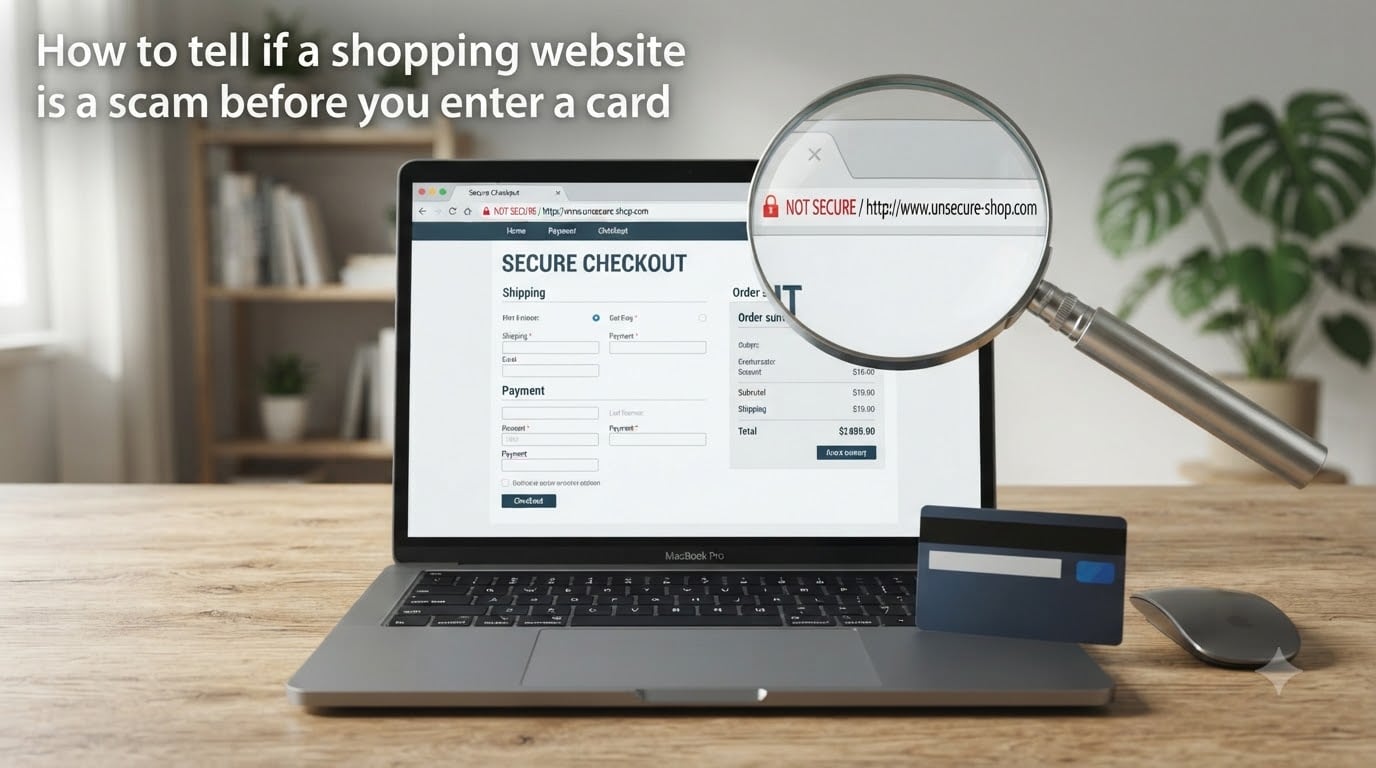
A secure website encrypts data between your browser and the server, which prevents attackers from intercepting your card details. You can confirm this by looking for HTTPS in the URL and a padlock icon in the address bar. But here is what most guides get wrong: HTTPS alone does not prove a website is legitimate.
Anyone can get a free SSL certificate in under five minutes. Scammers do this regularly because it makes their fake sites display the padlock that shoppers have been trained to trust. So HTTPS is a minimum requirement, not proof of safety. If a site does not have HTTPS, leave immediately. If it does, continue checking other indicators.
What HTTPS actually tells you is that your connection is encrypted. What it does not tell you is who operates the site. To learn more, click the padlock icon next to the URL and select “Certificate” or “Connection is secure.” This opens a details panel.
Certificates come in three validation levels:
DV (Domain Validation): Confirms only that the applicant controls the domain. No identity verification. Most scam sites use these.
OV (Organization Validation): The certificate authority verified the business exists and matches the domain. More trustworthy.
EV (Extended Validation): The strictest level. Requires legal, physical, and operational verification of the business. The company name sometimes appears in the certificate details.
Here is the practical takeaway. If you click the padlock and see only a DV certificate registered to a random individual or hidden behind a privacy service, that is a yellow flag for a shopping site. Major retailers use OV or EV certificates with their real company name visible.
Also watch for certificate errors. If your browser shows a warning like “Your connection is not private” or “Certificate not trusted,” close the tab. Legitimate stores fix these issues immediately because they hurt sales.
Identify Prices That Are Too Good to Be True
If a deal looks impossible, it probably is. Scam websites lure shoppers with prices 50 to 90 percent below retail on in-demand items. A $1,200 smartphone listed for $199. Designer sneakers retailing for $250 but sold for $49. The latest gaming console at half price. These prices trigger urgency and override caution.
I have tracked dozens of scam stores through forum communities, and the pricing pattern is remarkably consistent. The discounts are always large enough to feel like a steal but not so absurd that you immediately dismiss them. A $1,200 phone for $199 feels like a flash sale. A $1,200 phone for $12 feels like an obvious scam. Scammers calibrate the price to feel plausible.
Certain product categories carry especially high scam rates based on community data:
Designer and hypebeast brands: Yeezy, Supreme, Gucci, Louis Vuitton, Off-White
Limited-edition sneakers and streetwear
Latest-model electronics: iPhones, PS5, GPUs, MacBooks
Luxury watches and jewelry
Brand-name cosmetics and fragrances
If you find a deal on any of these from an unknown seller, do a quick comparison. Check the official brand website for the real retail price. Check 2 to 3 authorized retailers. If the unknown site is dramatically cheaper than every legitimate source, the product is likely counterfeit or the site exists only to harvest your card.
One more pricing red flag: bulk discount structures that push you toward larger purchases. “Buy 3 get 60 percent off” on a scam site is designed to extract more money before you realize something is wrong. Legitimate stores run sales, but they do not pressure you into doubling your order to “unlock” savings.
Look for Real Contact Information and a Physical Address
Legitimate businesses want you to reach them. Scam operations do not. The presence, quality, and responsiveness of contact information tells you a lot about who is behind a website.
Start by scrolling to the footer of the website. A real store typically lists a physical address, a phone number, and an email address. A fake store often has none of these, or only a generic contact form that sends your message into a void.
Here is what to check:
Physical address: Copy it into Google Maps. Does it resolve to a real commercial location, a warehouse, or a known business? Or does it point to a residential home, a parking lot, or an empty field?
Phone number: Call it. If it rings endlessly, connects to a personal voicemail, or uses a free Google Voice number, that is suspicious. Real businesses have working phone lines.
Email address: Legitimate stores use branded email ([email protected]). A store using a Gmail, Yahoo, or Outlook address for customer support is a red flag.
Contact page existence: If the only way to reach the store is a contact form with no other details, ask why.
I once tested a suspicious sneaker site by emailing a specific product question. The response I got back was generic, did not address my question, and pushed me to complete my purchase before a “sale ends.” That told me everything I needed to know.
Also check the privacy policy, return policy, and terms of service. Scam sites often copy these from other websites and forget to change the company name. If the return policy references a different business name or contains placeholder text, the site is not legitimate.
Research the Domain Age with a Free WHOIS Lookup
Domain age is one of the strongest scam indicators available. Most fraudulent shopping sites are registered days or weeks before they go live, extract money from victims, and then disappear. A legitimate business has typically held its domain for years.
You can check domain registration details for free using a WHOIS lookup. Here is how to do it step by step.
Step 1: Open a WHOIS lookup tool. I recommend who.is, whoxy.com, or the ICANN lookup at lookup.icann.org. All are free and require no signup.
Step 2: Enter the domain name (for example, suspicious-store.com) and search.
Step 3: Look at the “Creation Date” or “Registered On” field. This tells you when the domain was first registered.
Step 4: Interpret the results:
Registered more than 3 years ago: Generally lower risk for established businesses
Registered 1 to 3 years ago: Moderate risk, check other indicators
Registered less than 1 year ago: High risk, especially for stores claiming to be established retailers
Registered within the last few weeks: Very high risk, likely a scam operation
Step 5: Check the “Registrant” information. If the owner details are hidden behind a privacy service (common and not automatically malicious) but the domain is brand new, combine that with other signals. If the registrant is a person in a country unrelated to the business, that is suspicious.
I use this check on every unfamiliar store before I consider buying. It takes about 15 seconds and has saved me from multiple scam sites. A store claiming “trusted since 2015” with a domain registered two months ago is lying to you.
Analyze Website Design, Grammar, and Product Images
Scam sites are built quickly and cheaply. That means design quality, language, and imagery often contain mistakes that real businesses would never ship. Train your eye to catch these tells.
Grammar and spelling errors are one of the fastest indicators. Legitimate retailers employ copywriters and editors. Scam sites often use auto-translated or hastily written text. Look for:
Awkward phrasing that sounds machine-translated
Inconsistent capitalization in product names or descriptions
Misspelled common words in navigation, buttons, or headings
Product descriptions that are generic and could apply to any item
Overuse of exclamation points and urgency language (“HURRY!”, “LAST CHANCE!”, “ONLY TODAY!”)
Product images reveal a lot too. Scammers steal photos from legitimate retailers, manufacturer websites, and social media. Signs of stolen imagery include inconsistent photo styles across products, images with watermarks from other stores, resolution mismatches, and background details that do not match the supposed brand.
You can verify images with a reverse image search. Here is the process:
Step 1: Right-click on a product image and select “Copy image address” or save it to your device.
Step 2: Go to Google Images (images.google.com) or TinEye (tineye.com) and click the camera icon to search by image.
Step 3: Paste the URL or upload the saved image.
Step 4: Review results. If the same image appears on dozens of different stores, AliExpress listings, or stock photo sites, the website is not using original product photography. It is likely dropshipping counterfeit goods or running a pure card-harvesting scam.
Also assess overall design quality. Broken links, placeholder text (“Lorem ipsum”), pages that fail to load, shopping cart errors, and mobile layouts that are unusable are all signs of a site thrown together quickly. Real e-commerce stores invest in user experience because broken pages cost them sales.
Verify Reviews on Independent Platforms
Reviews on the store’s own website mean nothing. Scammers fabricate them by the hundreds, often using generated names and stock photos. Real trust signals come from independent, third-party platforms where businesses cannot control what appears.
Here is where to check:
Trustpilot: Search the store name. Look at the distribution of ratings, not just the average. A real store has a mix. A scam site often has either no reviews or suspiciously perfect 5-star reviews posted in a short window.
Better Business Bureau (BBB): Check bbb.org for the business name. Look for complaints, accreditation status, and how the business responds.
Reddit: Search “[store name] scam” or “[store name] legit” on reddit.com. Communities like r/Scams and r/frugalmalefashion regularly discuss fake stores. Real user experiences surface here faster than anywhere else.
Google Search: Type the store name plus “scam,” “complaint,” or “review” and read what comes up on the first two pages.
When evaluating reviews, watch for these patterns of fake feedback:
All reviews posted within a short period (days or weeks)
Vague, generic praise with no product-specific details (“Great store, fast shipping!”)
Multiple reviews using similar wording or structure
Reviewer profiles with only one review and no history
Five-star reviews that mention a different product than what the store sells (copied reviews)
I also recommend checking the store’s social media presence. A legitimate business typically has active accounts on Instagram, Facebook, or TikTok with real follower engagement. A scam site either has no social media links or links to accounts with zero posts and fake followers. If an Instagram account has 50,000 followers but every post gets 3 likes, those followers were purchased.
Inspect Payment Options and Checkout Security
The checkout page is the final checkpoint before your card details leave your hands. What payment options a store offers, and how the checkout process works, reveals whether the operation is legitimate.
Here are the payment red flags that should stop you immediately:
Gift cards or cryptocurrency only: No legitimate retailer requires payment via gift cards, Bitcoin, or wire transfer. These methods are irreversible and untraceable. If a store only accepts them, it is a scam.
No trusted payment gateways: Legitimate stores offer PayPal, Stripe, Apple Pay, Google Pay, or major credit card processors. If none of these familiar options appear, be cautious.
Direct card entry on an unsecured page: If the checkout URL does not show HTTPS during payment, close the browser.
Suspicious redirects: If clicking checkout sends you to a different domain with an unfamiliar name, the store may be redirecting you to a payment harvesting page.
Trusted payment methods offer buyer protection. If you pay with a credit card through PayPal or a major processor, you can dispute fraudulent charges. If you wire money or send crypto, the funds are gone permanently.
One additional tip from the Reddit scam communities: use a virtual credit card number when shopping at unfamiliar stores. Services like Privacy.com, or virtual card features from major banks, generate single-use card numbers linked to your real account. If the number is compromised, you simply close it with no risk to your primary card.
Also, if the checkout page asks for more information than necessary, leave. A legitimate purchase requires your shipping address, payment details, and maybe a phone number for delivery. No store needs your Social Security number, date of birth, or mother’s maiden name to sell you a pair of shoes.
Use Free Online Verification Tools Before You Buy
You do not have to rely on your own judgment alone. Free tools can scan a website for known threats, blacklist status, and reputation data in seconds. I run these on any unfamiliar store before I even consider browsing products.
Google Safe Browsing Transparency Report: Go to transparencyreport.google.com/safe-browsing/search and enter the URL. Google continuously scans billions of pages for malware and phishing. If the site is flagged, Google will tell you. This tool catches sites that distribute malware or engage in phishing.
URLVoid: Go to urlvoid.com and enter the domain. URLVoid checks the website against over 30 blocklist engines and website reputation services. It gives you a quick pass or fail across multiple security databases. A clean result does not guarantee safety, but a flagged result confirms danger.
VirusTotal: Go to virustotal.com and enter the URL. VirusTotal scans the domain against 70-plus antivirus engines and URL scanners. If multiple engines flag the site, treat it as compromised or malicious.
ScamAdviser: Go to scamadviser.com and enter the domain. This tool analyzes domain age, server location, SSL details, reviews, and other data points to generate a trust score from 1 to 100. It is not perfect, but it provides a quick composite view that complements your manual checks.
I recommend running at least two of these tools on any unfamiliar store. If both come back clean and your manual URL, design, pricing, and domain age checks also pass, the site is reasonably safe to browse. If any tool flags the site or any manual check fails strongly, walk away.
What to Do Immediately If You Already Entered Your Card?
If you are reading this section because you already entered your card details on a suspicious website, take a breath. Act fast but do not panic. The sooner you respond, the more you can limit the damage. Follow these steps in order.
Step 1: Call your bank or card issuer immediately. The number is on the back of your card. Tell them you believe your card was compromised on a fraudulent website. They can freeze the card, cancel it, and issue a new one. Most banks have 24/7 fraud lines.
Step 2: Report the charges as fraudulent. If charges have already appeared from the scam site or from unfamiliar merchants, dispute them immediately. Under U.S. law (Fair Credit Billing Act), your liability for unauthorized credit card charges is capped at $50, and most major card networks offer zero liability. Debit cards have different protections and faster fund-draining risk, so speed matters even more.
Step 3: Change passwords if you created an account. If you registered an account on the scam site using a password you also use elsewhere, change it everywhere immediately. Scammers test stolen credentials across banking, email, and shopping sites. If you reused a password, assume it is compromised.
Step 4: Monitor your accounts for 30 to 90 days. Check your bank and card statements daily for the first week, then weekly. Watch for small test charges (under $5) which scammers use to verify a card works before making larger purchases. Report any unfamiliar charge immediately.
Step 5: Place a fraud alert or credit freeze. If the scam site collected personal information beyond your card (name, address, Social Security number), contact one of the three major credit bureaus (Equifax, Experian, TransUnion) and request a fraud alert. A fraud alert makes it harder for someone to open accounts in your name.
Step 6: File a report with the FTC. Go to reportfraud.ftc.gov and report the scam. This creates an official record that helps with chargebacks and disputes. You can also report the fraudulent website to the FBI’s IC3 at ic3.gov.
Step 7: Report the website to Google Safe Browsing. Visit safebrowsing.google.com/safebrowsing/report_phish/ and submit the scam URL. This helps protect other shoppers by getting the site flagged in Chrome and other browsers.
The key takeaway: taking action within the first 24 hours dramatically reduces your financial exposure. Banks and card networks have well-established fraud processes, but they need you to report the issue quickly to activate them.
FAQs
What if I entered my debit card into a fake website?
Call your bank immediately and report the card as compromised. Debit cards have less protection than credit cards, and funds can be drained directly from your account. Request a card cancellation, dispute any unauthorized charges, and monitor your account closely for 30 to 90 days. The faster you act, the more money you can recover.
What are three signs a website is trustworthy?
Three strong trust indicators are: (1) An EV or OV SSL certificate with the company name visible when you click the padlock icon, (2) a domain registered for several years with verifiable WHOIS records, and (3) a substantial number of reviews on independent platforms like Trustpilot or the BBB with a natural mix of ratings and genuine customer feedback.
How to know if a website is safe for credit cards?
Check for HTTPS in the URL and a valid SSL certificate. Confirm the site accepts trusted payment processors like PayPal, Stripe, or Apple Pay. Verify the domain is not brand new using a WHOIS lookup. Run the URL through Google Safe Browsing or URLVoid. If all checks pass, use a credit card rather than a debit card for added fraud protection.
What are the signs of a scam website?
Common signs include a recently registered domain (under one year old), prices 50 to 90 percent below retail on in-demand items, no physical address or working phone number, poor grammar and stolen product images, no presence on independent review platforms, payment limited to gift cards or crypto, and a domain name with slight misspellings of known brands (typosquatting).
How to check if a website is real or fake online?
Run a WHOIS lookup on who.is to check the domain creation date. Search the store name plus ‘scam’ on Google and Reddit. Do a reverse image search on product photos using Google Images or TinEye. Enter the URL into Google Safe Browsing Transparency Report and URLVoid. If the domain is new, images are stolen, and no independent reviews exist, the site is likely fake.
How do I check if an online shop is legit?
Verify the shop has a physical address that resolves correctly on Google Maps, a working phone number you can call, and a branded email address (not Gmail). Check for reviews on Trustpilot and BBB. Confirm the domain age is over one year. Look for active social media accounts with real engagement. If the shop fails multiple checks, do not enter your card.
Final Checklist: How to Tell If a Shopping Website Is a Scam?
You do not need to run every check on every site. But for any store you have not shopped at before, run through this quick checklist before entering your card details.
Read the URL character by character for typosquatting
Confirm HTTPS is present and click the padlock to check the certificate
Compare prices to official retailers for in-demand items
Find a physical address and phone number, and verify both
Run a WHOIS lookup and check the domain creation date
Scan for grammar errors and do a reverse image search on product photos
Search for independent reviews on Trustpilot, BBB, and Reddit
Confirm trusted payment options are available
Run the URL through Google Safe Browsing or URLVoid
Use a credit card, not a debit card, for added fraud protection
If a site passes most of these checks, shop with reasonable confidence. If it fails two or more, trust your instinct and find the product from a retailer you already know. Learning how to tell if a shopping website is a scam before you enter a card takes five minutes of checking and can save you weeks of recovering from fraud. Stay sharp, verify before you buy, and protect your card details like the valuable information they are.