
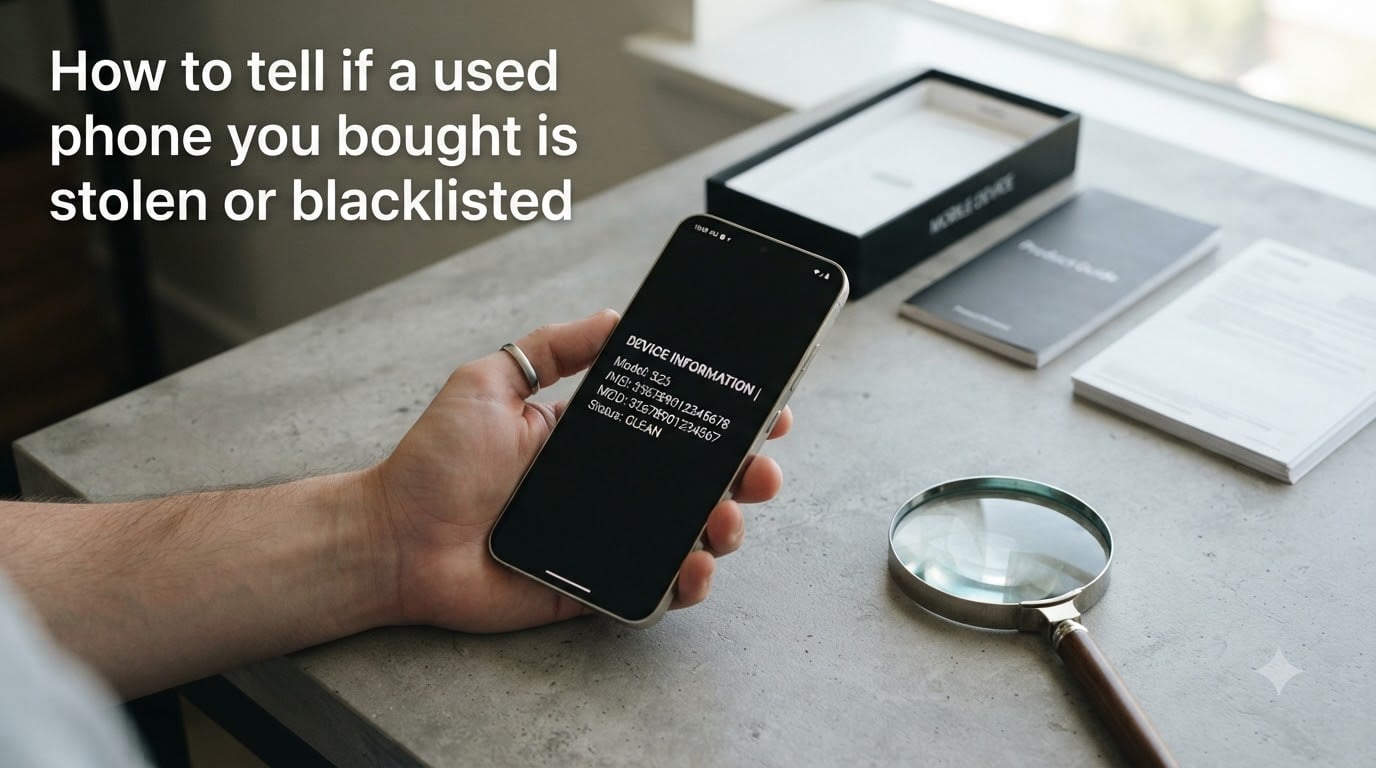
You found a great deal on a used phone. Maybe it was on Facebook Marketplace, Craigslist, or a local classifieds site. The phone works fine when you test it, the price feels like a steal, and you hand over your cash. Then two weeks later, your service drops and the screen reads “SIM not supported.”
Learning how to tell if a used phone you bought is stolen or blacklisted can save you from losing hundreds of dollars and ending up with an expensive paperweight. I have helped friends and family verify dozens of second-hand devices, and the process is simpler than most people think.
The key is checking the phone’s IMEI number against global blacklist databases before and after purchase. A 30-second check can reveal whether a device has been reported stolen, lost, or tied to unpaid carrier bills. In this guide, I will walk you through every step so you never get caught off guard.
Table of Contents
- What Is a Blacklisted Phone and Why Does It Matter?
- How to Find Your Phone’s IMEI Number in 30 Seconds?
- How to Check if a Used Phone Is Stolen or Blacklisted?
- Warning Signs a Used Phone May Be Stolen
- Blacklisted vs Carrier Locked vs iCloud Locked: What’s the Difference?
- What to Do if You Already Bought a Blacklisted Phone?
- The Post-Sale Blacklisting Scam You Need to Know About
- Frequently Asked Questions
- How to know if a second hand phone is stolen?
- How to know if a phone is stolen before buying it?
- Can a blacklisted IMEI be unlocked?
- How do I check if an IMEI is blacklisted?
- Can you unblacklist a blacklisted phone?
- When a phone is blacklisted, can it still be used?
- How long does a blacklisted phone stay blacklisted?
- Protect Yourself Before You Buy
What Is a Blacklisted Phone and Why Does It Matter?
A blacklisted phone is a device that carriers have flagged and blocked from connecting to cellular networks. When a phone gets blacklisted, its unique IMEI number is added to a shared database that virtually all major carriers reference before allowing activation.
Phones end up on the blacklist for three main reasons. The owner reported the device lost or stolen to their carrier. The original purchaser stopped paying their financing plan and the carrier flagged the IMEI for unpaid bills. Or an insurance fraud claim was filed, meaning the phone was reported stolen to collect a replacement while the original device was sold.
Here is why this matters for you as a buyer: a blacklisted phone cannot make calls, send texts, or use mobile data on any participating network. The phone may still connect to Wi-Fi and function as a mini tablet, but it will never work as a phone again unless the original owner removes the block. That iPhone 14 you bought for $300 could become a $300 media player overnight.
Carriers across North America share blacklist data through the GSMA database, and many international carriers participate too. A phone blacklisted in the United States will typically not work in Canada, Mexico, or most of Europe. This makes “just use it on another network” a non-solution.
How to Find Your Phone’s IMEI Number in 30 Seconds?
Every phone has a unique 15-digit IMEI (International Mobile Equipment Identity) number. Think of it as a fingerprint for your device. You need this number to run any blacklist check.
The fastest way to find it is to open your phone’s dialer and type *#06#. The IMEI will pop up on screen automatically within seconds. This works on virtually every phone, including iPhone and Android models.
If the dial code does not work for some reason, you have other options:
On an iPhone, go to Settings > General > About and scroll down to find the IMEI listed alongside other device details.
On Android, navigate to Settings > About Phone > Status or Settings > About Device depending on your manufacturer. The IMEI appears in the hardware information section.
For phones that will not turn on, check the original packaging. The IMEI is printed on a barcode label on the box. You can also find it on the SIM tray on some models or printed on the back of older devices.
Write down all 15 digits carefully. A single wrong digit will check the wrong device entirely. If the phone has dual SIM capability, you will see two IMEI numbers, one for each SIM slot.
How to Check if a Used Phone Is Stolen or Blacklisted?
Checking a phone’s IMEI against blacklist databases is free and takes under a minute. Here is the step-by-step process I use every time.
Step 1: Get the IMEI number. Dial *#06# on the device or find it in Settings as described above. If the seller will not let you check the IMEI before buying, walk away from that deal immediately.
Step 2: Run the IMEI through a free checker. Use one of these reputable services:
Swappa IMEI Check (swappa.com/imei): Free, fast, and specifically built for the used phone market. Enter the IMEI and get instant results showing whether the phone is clean, blacklisted, or financed.
StolenPhoneChecker.org: A public service backed by the CTIA (wireless industry association) that lets you check if a device has been reported lost or stolen in the United States. It also covers participating Canadian carriers.
DoctorSIM (doctorsim.com): Offers free basic blacklist checks plus paid options for deeper reports covering carrier lock status, iCloud status, and unlock eligibility.
IMEIPro.info: Another free lookup tool that works for iPhone, Samsung, and other major brands. Shows blacklist status, carrier, and warranty information.
Step 3: Check with the specific carrier. If you plan to use the phone on AT&T, T-Mobile, or Verizon, visit that carrier’s IMEI check page. A phone may be clean globally but blocked on a specific network for unpaid bills tied to that carrier.
Step 4: Verify the iCloud or Google activation lock. A clean IMEI does not guarantee the phone is usable. If an iCloud Activation Lock or Google Factory Reset Protection is active, you need the previous owner’s account credentials to set up the phone. For iPhone, check activation status at icloud.com/activationlock. For Android, attempt a factory reset and see if it asks for a previous Google account.
Step 5: Do all of this before you hand over money. The entire check process takes about five minutes. Any seller who is legitimate will understand and even encourage it.
Warning Signs a Used Phone May Be Stolen
Even before you run an IMEI check, certain red flags should make you pause. These warning signs appear in many of the scam stories shared on Reddit and other forums.
The price is dramatically below market value. A $1,000 phone listed for $350 is not a lucky break. Sellers offloading stolen or blacklisted phones price them to move fast before the buyer discovers the problem.
The seller refuses to share the IMEI. If they claim they cannot find it or say “just trust me, it works,” that is an instant deal-breaker. Every legitimate seller can produce an IMEI in seconds.
Cash only, no receipts, no original box. Sellers who insist on cash and cannot provide any proof of purchase are harder to trace. The original box and receipt are strong indicators the seller actually owned the phone legitimately.
The seller wants to meet in a rush. Scammers create urgency so you skip verification steps. If someone pressures you to complete the deal quickly and discourages you from checking the phone thoroughly, that is suspicious.
The phone is already factory reset but the seller cannot sign out of their account. This is a huge red flag for stolen devices where the original owner’s account is still linked.
The phone came from a repair shop. Multiple Reddit users report buying used phones from independent cell phone repair shops that turned out to have hidden issues. Some repair shops sell refurbished or repaired devices without disclosing prior damage or questionable sourcing.
Trust your gut. If something feels off about the transaction, there are always other phones for sale from more trustworthy sources.
Blacklisted vs Carrier Locked vs iCloud Locked: What’s the Difference?
People frequently confuse three different types of phone restrictions. Understanding the difference helps you know what you are actually dealing with.
Blacklisted means the phone’s IMEI has been reported to a shared database as stolen, lost, or tied to unpaid bills. No carrier will activate it for cellular service. This is the most serious restriction and the hardest to resolve.
Carrier locked means the phone only works on one specific carrier’s network, usually because it was purchased on a financing plan or through a carrier promotion. The phone is not stolen, but you need to get it unlocked before using it on another network. Carriers will unlock phones once they are paid off and in good standing. You can check unlock eligibility separately from blacklist status.
iCloud Activation Locked or Google Factory Reset Protected means the previous owner’s account is still linked to the device. The phone may have a clean IMEI and be carrier unlocked, but you cannot complete the setup process without the original owner’s Apple ID or Google account credentials. This is common with legitimately sold phones where the seller forgot to sign out, but it is also a hallmark of stolen devices.
Each of these issues requires a different fix. A carrier lock can be resolved by requesting an unlock from the carrier. An activation lock can sometimes be resolved by contacting the seller to sign out. A blacklist, however, can usually only be removed by the person who originally reported the phone.
What to Do if You Already Bought a Blacklisted Phone?
If you are reading this after the purchase and your phone just stopped working, do not panic yet. You have several options, though none are guaranteed.
Contact the seller immediately. If you bought through a platform with messaging, reach out and document everything. Some sellers genuinely did not know the phone had issues and may offer a refund. If they ghost you, that documentation becomes evidence.
File a dispute with your payment method. If you paid through PayPal, eBay, Swappa, or another platform with buyer protection, open a dispute right away. Credit card companies also offer chargeback options for goods not as described. Cash transactions with strangers are the hardest to recover from, which is why I always recommend using platforms with dispute resolution.
File a police report. If the phone was sold to you as stolen property, you are a victim of fraud. A police report creates an official record, which can help with payment disputes and insurance claims. Bring all communication, receipts, and the seller’s contact information.
Check if it is a temporary block. Sometimes a phone shows up on a blacklist due to a billing error or because the previous owner’s payment simply had not processed yet. Contact the carrier to find out the specific reason for the blacklist. If it is unpaid bills and the original account holder resolves them, the phone could be removed from the blacklist.
Accept Wi-Fi-only use as a last resort. A blacklisted phone can still connect to Wi-Fi, run apps, play media, and function essentially as an iPod touch. It is not what you paid for, but it is not entirely useless. Some people use blacklisted phones as home security camera monitors, media players, or dedicated gaming devices for kids.
The Post-Sale Blacklisting Scam You Need to Know About
Here is a scenario that catches buyers off guard more than any other: the phone works perfectly when you buy it, passes every IMEI check, and functions normally for weeks or even months. Then one day it suddenly stops connecting to the network.
This is called post-sale blacklisting, and it is a common scam in the peer-to-peer phone market. Here is how it works. The seller reports the phone as stolen or lost to their insurance company after selling it to you. They collect an insurance payout for the “stolen” phone, and the carrier adds the IMEI to the blacklist. Your phone goes dark, and the seller has your cash plus insurance money.
One Reddit user shared a story from r/PersonalFinanceCanada that captures this perfectly. They bought a phone from Kijiji, used it for two months without any issues, then woke up one morning to find no service. The seller had reported it stolen to collect insurance. The seller never responded to messages afterward, and there was no way to recover the money.
Another user on r/Android described buying a phone from Craigslist that was clean for three weeks before being blacklisted. They had checked the IMEI before buying, but that check only shows the status at that moment.
You cannot fully prevent post-sale blacklisting, but you can reduce your risk significantly:
Buy from platforms with buyer protection. eBay, Swappa, and other marketplaces that hold sellers accountable give you a window to file disputes. Cash deals with strangers on Craigslist or Facebook Marketplace offer zero recourse.
Get the seller’s real identity. Take a photo of their ID, get a phone number, and verify they are reachable. Scammers thrive on anonymity.
Get proof of purchase. Ask for the original receipt or a signed bill of sale showing the seller’s name and the device’s IMEI. This creates a paper trail proving you bought the phone in good faith.
Wait before leaving a review. Keep communication open with the platform for the full buyer protection window. If you paid through PayPal Goods and Services, you have 180 days to file a dispute.
Consider certified pre-owned instead. Phones sold through manufacturer refurbishment programs (Apple Certified Refurbished, Samsung Certified Pre-Owned) or carrier stores come with warranties and clean titles. You pay more, but you avoid the entire stolen-phone risk.
Frequently Asked Questions
How to know if a second hand phone is stolen?
Dial *#06# on the phone to get its IMEI number, then run that number through a free checker like Swappa IMEI Check (swappa.com/imei) or StolenPhoneChecker.org. These services tell you instantly if the phone has been reported stolen, lost, or blacklisted by any major carrier. Always check before you pay, not after.
How to know if a phone is stolen before buying it?
Ask the seller for the IMEI before meeting. Run it through a free IMEI checker, check the carrier’s own activation page, and verify there is no iCloud or Google activation lock. Meet in person, check the phone in front of the seller, and use a payment method with buyer protection instead of cash.
Can a blacklisted IMEI be unlocked?
A blacklisted IMEI cannot be unlocked through normal carrier unlocking. Carrier unlocking removes a network lock but does not clear a blacklist status. Only the person or carrier who reported the phone can remove it from the blacklist by resolving the underlying issue (recovering the phone, paying off bills, or canceling a fraudulent insurance claim).
How do I check if an IMEI is blacklisted?
Enter the 15-digit IMEI number into a free checking service such as Swappa, StolenPhoneChecker.org, DoctorSIM, or IMEIPro.info. You can also check directly on your carrier’s website. The result shows whether the phone is clean, reported stolen, lost, or tied to unpaid bills.
Can you unblacklist a blacklisted phone?
Only the original owner or reporting carrier can unblacklist a phone. If the blacklist was placed due to unpaid bills, paying them off may clear it. If it was reported stolen, the original owner must contact the carrier to confirm recovery. Third-party services claiming to unblacklist phones are almost always scams.
When a phone is blacklisted, can it still be used?
A blacklisted phone can still connect to Wi-Fi, run apps, play media, and function as a small tablet. However, it cannot make calls, send texts, or use cellular data on any participating carrier network. It remains usable for anything that does not require a cellular connection.
How long does a blacklisted phone stay blacklisted?
A phone stays blacklisted indefinitely until the original reporting party resolves the issue. There is no expiration period. If the phone was reported stolen and never recovered, it remains on the blacklist permanently. If it was flagged for unpaid bills, paying off the balance may remove the block.
Protect Yourself Before You Buy
Knowing how to tell if a used phone you bought is stolen or blacklisted comes down to one simple habit: always check the IMEI before you pay. Dial *#06#, run the number through a free checker like Swappa or StolenPhoneChecker.org, and verify there is no activation lock. Five minutes of checking can save you hundreds of dollars and weeks of frustration.
If you are buying peer-to-peer, use platforms with buyer protection, get the seller’s identity, and document everything. Avoid cash-only deals with strangers, and be aware that a phone can be reported stolen after the sale, so stay alert during the buyer protection window.
When the deal feels too good to be true, it usually is. A slightly higher price from a certified reseller or manufacturer refurbishment program is worth the peace of mind. Your phone is something you use every single day, and it deserves to work without the constant worry of a sudden blacklist.