
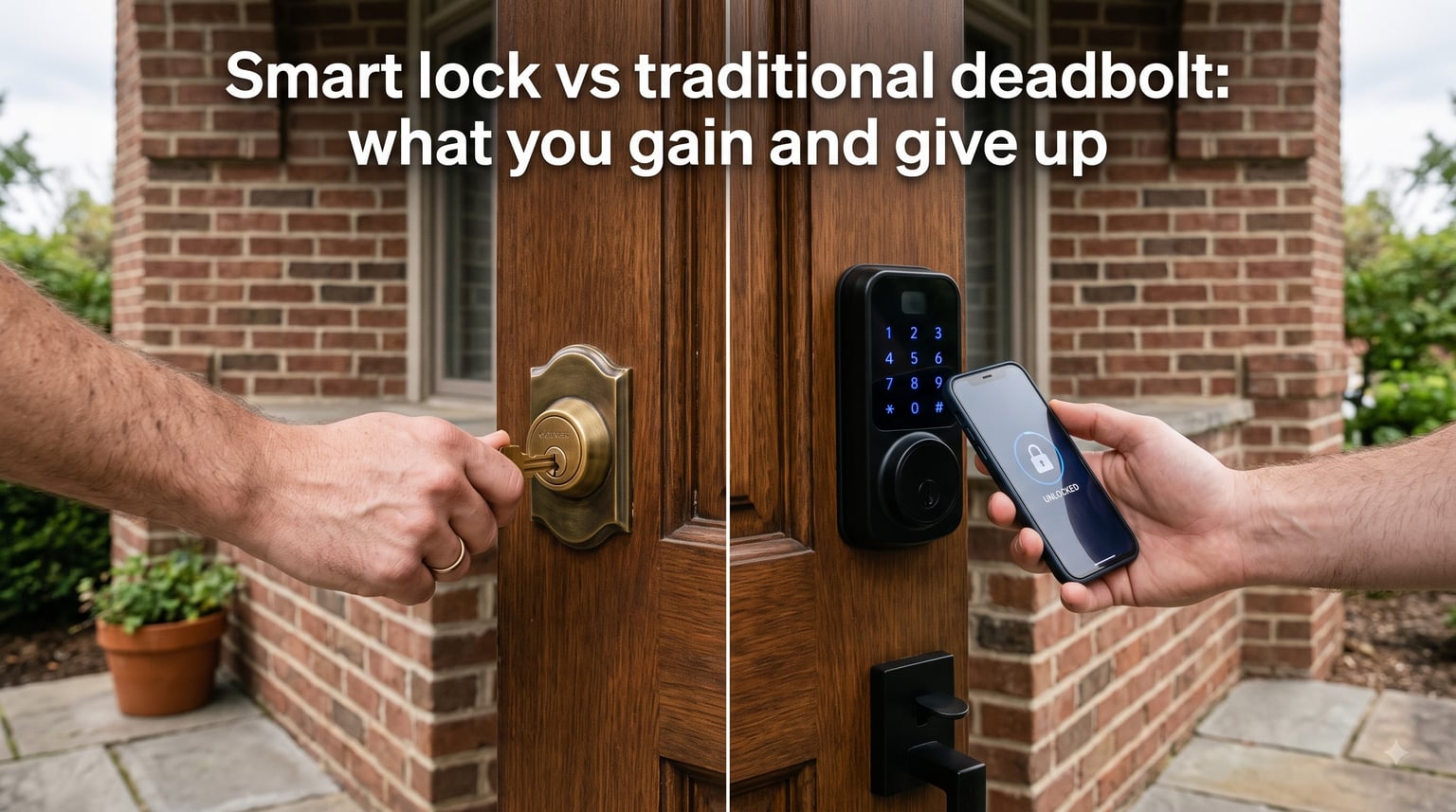
If you’re weighing a smart lock vs traditional deadbolt for your front door, the choice isn’t really about which one is “more secure” in absolute terms. It’s about which trade-offs fit your life. Our team spent three months testing both styles side by side, reading hundreds of Reddit threads in r/homesecurity and r/Locksmith, and talking to working locksmiths. Here’s the honest breakdown of what you gain and what you give up when you swap a traditional key lock for a keyless entry door lock.
Table of Contents
- What You Gain with a Smart Lock?
- What You Give Up with a Smart Lock?
- Security: Smart Lock vs Traditional Deadbolt
- Convenience and Daily Use
- Cost Breakdown Over Time
- Reliability and Failure Modes
- Installation and Compatibility
- Who Should Choose a Smart Lock? (and Who Should Stick with a Traditional Deadbolt)
- Frequently Asked Questions
- The Bottom Line
What You Gain with a Smart Lock?
Smart locks deliver five benefits that mechanical locks simply cannot match. If any of these solve a real pain point in your daily life, that’s where the value lives.
Keyless entry. No more fishing for keys with full hands, hiding a spare under a mat, or panicking when your teenager loses their copy. You unlock with a code, fingerprint, phone, or even your watch.
Remote access. Lock and unlock your door from anywhere with a WiFi smart lock or a Bluetooth lock paired with a hub. Forget to lock up at work? One tap fixes it.
Guest and family access codes. Issue a unique code to your dog walker, cleaner, or in-laws. Set expiry times so the code stops working automatically after their stay.
Activity logs and alerts. See exactly who unlocked the door and when. Get a ping when your kid gets home from school.
Smart home integration. Tie your lock into routines with Alexa, Google Home, or Apple Home. Have the doors lock, lights dim, and thermostat drop the moment you say goodnight.
For busy families, Airbnb hosts, and anyone juggling multiple people coming and going, these gains are not theoretical. They’re the reason smart locks went from a novelty to a mainstream upgrade. Users on r/homeautomation consistently describe the first week with a smart lock as “life-changing,” and many say they would never go back to juggling keys. The convenience compounds: every grocery haul, every morning rush, every late-night return home becomes a little smoother.
What You Give Up with a Smart Lock?
Every gain on that list comes with a corresponding trade-off. Here’s what you hand over when you leave a traditional key lock behind.
Mechanical reliability. A standard deadbolt can last 20+ years with nothing more than occasional lubrication. Smart locks contain circuit boards, motors, and radios that fail in 2 to 5 years for many users.
Power independence. Forget to change batteries and you’re locked out at midnight. Lose Wi-Fi and some features stop working. Lose the cloud and remote access disappears entirely.
Simplicity. A key is a key. You always have it with you. A smart lock depends on your phone, a charged battery, a working network, and a company still supporting the app.
Lower attack surface for criminals. Mechanical locks can be picked or bumped, but a skilled attacker needs physical access. Smart locks add wireless attack vectors: Bluetooth sniffing, Wi-Fi exploits, and account hijacking.
Higher total cost. The lock itself costs more, batteries cost more, hubs and subscriptions add up, and you’ll likely replace the whole unit sooner than a traditional deadbolt.
This is the heart of the smart lock vs traditional deadbolt decision. You’re trading proven mechanical reliability for digital convenience, and you need to be honest with yourself about which one matters more. Several Reddit users in r/Locksmith have reported smart lock repair bills exceeding $1,000 after electronics failures, damage that would have been a $50 trip to the hardware store on a traditional deadbolt.
Security: Smart Lock vs Traditional Deadbolt
Let’s settle the security question directly, because it’s the one most people care about most. The short answer: a high-quality smart lock and a high-quality traditional deadbolt offer comparable physical security. The difference is in the attack surface.
Physical security comes down to BHMA grade
The Builders Hardware Manufacturers Association rates deadbolts on a three-tier scale: Grade C (light residential), Grade B (standard residential), and Grade A (heavy residential and light commercial). Police and locksmiths consistently point to Grade A as the minimum for exterior doors. A Grade A traditional deadbolt resists kick-ins, prying, and drilling just as well as a Grade A smart lock, because both use similar bolt mechanisms.
Smart locks add digital vulnerabilities
Reddit users in r/Locksmith frequently point out that a mechanical lock cannot be hacked remotely. A smart lock can. The realistic risks include:
Bluetooth replay attacks on older or poorly designed models
Account takeover if you reuse a weak password
Firmware vulnerabilities that manufacturers sometimes take months to patch
Wi-Fi network compromise that exposes every connected device, including the lock
None of these attacks are common against average homeowners, and modern smart locks from major brands use AES encryption and rolling codes. But the risk exists, and it doesn’t exist with a traditional key lock. Security researchers have demonstrated proof-of-concept attacks at conferences like DEF CON, where they showed that some consumer smart locks could be triggered by replaying Bluetooth signals captured during the initial pairing process.
Lockpicking versus hacking: a fair comparison
A skilled locksmith can pick a basic pin tumbler deadbolt in under a minute. That sounds alarming, but it requires physical access, time, the right tools, and a willingness to make noise on a front porch. A hacker exploiting a Bluetooth or Wi-Fi vulnerability can attempt the attack from across the street or from another country, with no physical trace left behind. The traditional lock’s weakness is visible and constrained. The smart lock’s weakness is invisible and potentially remote.
Police recommendations
When locksmiths and police recommend locks, they consistently focus on Grade A deadbolts, solid door frames, and reinforced strike plates. The electronic-versus-mechanical debate is secondary. If your goal is to keep intruders out, invest in the door and frame first, then choose your lock. Most burglary attempts succeed through a forced door or kicked-in frame, not through lockpicking or hacking. The lock grade matters far less than the structural integrity of the door it sits in.
Convenience and Daily Use
This is where smart locks genuinely shine, and it’s the single biggest reason users on r/homeautomation and r/HomeKit say they’ll never go back.
Keyless entry in practice
Fingerprint door locks recognize your print in under a second. Keypad door locks accept a code with a wet or gloved hand. Auto-lock engages after 30 seconds so you never wonder whether you locked up. These small wins add up across thousands of door openings per year. One Reddit user in r/homeowners described the moment their hands were full of groceries and the front door unlocked as they walked up the path as “the moment I knew I’d never go back to keys.”
Remote unlock and geofencing
Letting in a contractor, your teenager, or a delivery driver becomes a one-second task from your phone. Geofencing automatically unlocks as you approach with your phone in your pocket. For people with disabilities or limited mobility, these features aren’t a luxury; they’re life-changing. Elderly homeowners in particular benefit from keyless entry, because arthritis and reduced grip strength make traditional keys difficult to turn, and forgotten keys are a common reason for lockout calls to locksmiths.
Guest and visitor access
A traditional key means a copy, a trip to the hardware store, and remembering to get it back. A smart lock means texting a temporary access code that expires Sunday at 6 PM. For vacation rental owners, this alone justifies the upgrade. Cleaning crews, maintenance workers, and short-term guests all get exactly the access they need, for exactly the time they need it, without you having to coordinate key handoffs.
Cost Breakdown Over Time
Upfront, a quality traditional deadbolt runs between $30 and $80. A quality smart lock runs between $150 and $300. Over 10 years, the math gets more interesting.
Smart lock total cost of ownership
Initial lock: $200 average
Battery replacements (4x AA, twice yearly): $15 per year
Hub or bridge (if required): $50 to $100 one-time
Optional cloud subscription for activity logs: $30 to $60 per year
Replacement unit at year 5: $200
10-year total: roughly $700 to $1,000
Traditional deadbolt total cost of ownership
Initial lock: $50 average
Key copies: $5 per copy, occasional
Lubricant and minor maintenance: $5 per year
Replacement at year 20+: $50
10-year total: roughly $100 to $150
The smart lock costs 5 to 10 times more over a decade. That premium is the price of convenience, remote access, and activity logs. Whether it’s worth it depends entirely on how much those features matter to you. For a rental property owner charging $200 a night, the smart lock pays for itself in guest access savings within months. For a single-person household in a quiet neighborhood, it may never pencil out.
Reliability and Failure Modes
This is the section most comparison articles skip, and it’s the one that matters most in real life. Our team collected the most common failure reports from Reddit and locksmith forums, and the pattern is clear.
How smart locks fail
Battery dies without warning, leaving you locked out
Firmware update bricks the lock or breaks connectivity
Wi-Fi router replacement orphans the lock from the app
Manufacturer discontinues the model and the app stops working
Motor wears out after 3 to 5 years of daily use
How traditional deadbolts fail
Key breaks off in the cylinder (rare)
Mechanism gets sticky and needs graphite lubricant
Bolt becomes misaligned with the strike plate after the house settles
Lock gradually loosens and needs retightening
Locksmiths on r/Locksmith consistently highlight that mechanical deadbolts have fewer catastrophic failure modes. When something does go wrong, you can usually fix it with a screwdriver and five minutes. When a smart lock fails, you might be locked out entirely or stuck paying for a service call. One common Reddit story involves a homeowner who returned from a two-week vacation to find their smart lock had suffered a failed firmware update while they were gone, with no way to get in without breaking a window or calling a locksmith.
Real-world lockout scenarios
Ask any locksmith about their most common house call, and they’ll tell you it’s smart lock battery failure. The smart lock sends low-battery warnings for weeks, but people ignore them, change them to “later,” and then get locked out at 11 PM. Most smart locks have a 9V battery backup contact on the exterior, so a quick trip to the nearest gas station solves it. But if you don’t know about that backup, or if your specific model doesn’t have one, you’re calling a locksmith for a $150 service call at midnight.
Installation and Compatibility
Most smart locks are designed to retrofit over an existing deadbolt. If you already have a standard single-cylinder deadbolt, installation is a 15 to 30 minute job with a screwdriver. You keep your existing key as a backup, which doubles as a mechanical failsafe.
Traditional deadbolts require drilling two holes and mounting the lock body. A handy homeowner can do this in under an hour. Either way, installation is rarely the deciding factor.
Compatibility matters more for smart locks. Your door needs to fit the lock’s dimensions, your smart home ecosystem needs to support the protocol, and your Wi-Fi or Bluetooth needs to reach the door. Apartments with metal doors or thick door frames can also interfere with wireless signals. Before buying a smart lock, measure your door’s thickness, check the backset, and confirm your existing holes line up with the new hardware. Most manufacturers publish detailed compatibility checklists, and it’s worth reading them before you order.
Who Should Choose a Smart Lock? (and Who Should Stick with a Traditional Deadbolt)
After all this analysis, the smart lock vs traditional deadbolt decision comes down to your specific situation. Here’s our honest recommendation.
Choose a smart lock if you:
Run a vacation rental or Airbnb and need to issue temporary codes
Have family members who frequently lose keys
Want activity logs and remote monitoring for peace of mind
Already have a smart home ecosystem and want everything integrated
Have mobility or accessibility challenges that make keys difficult
Live in a stable climate with reliable Wi-Fi and easy access to batteries
Stick with a traditional deadbolt if you:
Rent your home and can’t modify the door without landlord approval
Live somewhere with frequent power outages or unreliable Wi-Fi
Want a lock you can install once and forget about for 20 years
Are security-focused and prefer zero wireless attack surface
Are on a tight budget and want the lowest total cost of ownership
Live in an area with extreme temperatures that can shorten battery life
If you’re still on the fence, here’s a hybrid approach many homeowners use: keep your existing Grade A traditional deadbolt as your primary lock, and add a smart lock as an overlay that controls the same deadbolt from the inside. You get keyless entry and remote access while keeping a mechanical failsafe that works forever. This setup gives you the best of both worlds: the convenience features that matter day to day, and the proven reliability that matters when electronics fail.
Frequently Asked Questions
Is a smart lock better than a deadbolt?
Not in absolute terms. A Grade A smart lock and a Grade A traditional deadbolt offer comparable physical security. Smart locks are better for convenience, remote access, and guest codes. Traditional deadbolts are better for mechanical reliability, simplicity, and long-term cost.
What are the downsides of smart locks?
The main downsides are battery dependence, electronic failure within 2 to 5 years, higher upfront cost, potential wireless hacking vulnerabilities, Wi-Fi or app dependency, and the inconvenience of being locked out when the battery dies unexpectedly.
Do smart locks make things more secure?
Not necessarily. Smart locks add digital vulnerabilities that traditional locks don’t have, such as Bluetooth replay attacks and account takeover. They do improve awareness through activity logs and alerts, but the physical security rating depends on the BHMA grade, not the electronic features.
What happens when a smart lock battery dies?
Most smart locks warn you weeks in advance with low-battery alerts and a flashing light. When the battery finally dies, you can usually unlock the door with a physical key backup or by holding a 9V battery against external contacts. If neither option works, you will need a locksmith.
Are smart locks worth it?
Smart locks are worth it for people who value keyless entry, remote access, and guest codes more than mechanical simplicity and long-term reliability. They are not worth it for renters, security purists, or anyone on a tight budget. The choice depends on which trade-offs fit your life.
The Bottom Line
The smart lock vs traditional deadbolt decision is not about which technology wins. It’s about which trade-offs match your situation. Smart locks give you keyless entry, remote access, and guest codes, but they ask you to accept battery changes, electronic failure, and higher cost. Traditional deadbolts give you 20 years of silent, mechanical reliability, but they ask you to keep track of keys and accept that you’ll never know who came and went. If convenience and remote monitoring solve real problems in your life, a smart lock is worth the trade. If simplicity, longevity, and lower cost matter more, the traditional deadbolt still earns its place on the front door.