
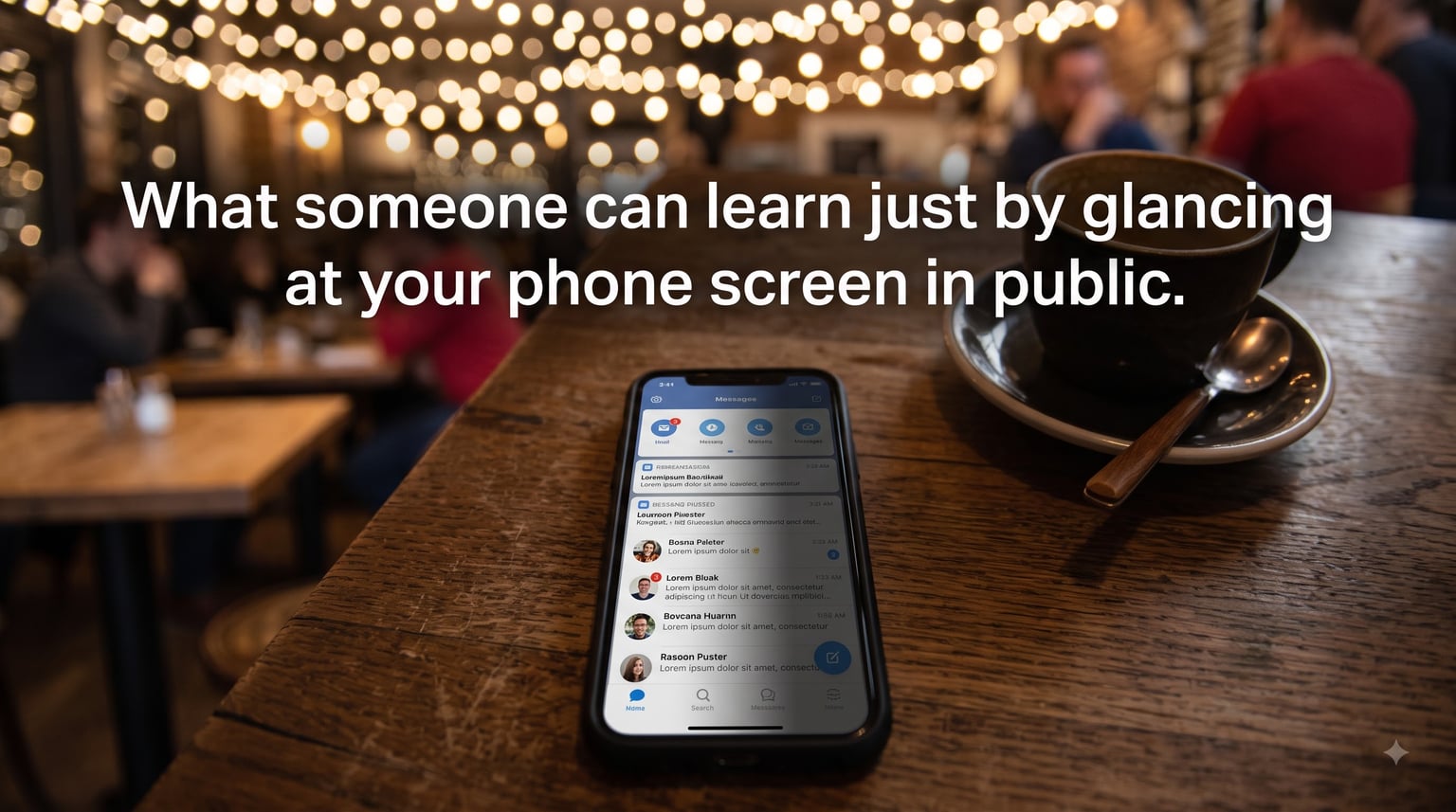
I’ve watched a stranger read my emails over my shoulder on a crowded train. I’ve seen someone on a plane lean two inches closer to peek at my banking app. Most people do not realize how much information leaks from their phone the moment they unlock it in public. If you have ever wondered what someone can learn just by glancing at your phone screen in public, the honest answer is: more than you think.
In this guide, I’ll walk you through exactly what a stranger can pick up from a quick glance, where it happens most often, and the practical steps I use (and recommend) to keep prying eyes out of my business. Updated for 2026 with the latest research and device settings.
Table of Contents
- What Is Shoulder Surfing and Why It Matters in 2026?
- What a Stranger Can Actually See on Your Phone Screen?
- 1. Lock screen and notification previews
- 2. Your name, contact details, and profile photos
- 3. Message content and chat threads
- 4. Financial information
- 5. Emails and work documents
- 6. Map routes and saved locations
- 7. Photos and camera roll
- 8. Health and medical data
- 9. Search history and autocomplete
- 10. Passwords being typed
- Where Shoulder Surfing Happens Most (Real-World Scenarios)
- The Real Risks: What Happens After Someone Sees Your Screen
- How to Tell if Someone Is Looking at Your Phone
- How to Protect Your Phone Screen From Prying Eyes?
- 1. Disable notification previews on the lock screen
- 2. Use a privacy screen protector
- 3. Sit with your back to a wall
- 4. Cover your hand when typing
- 5. Use biometric authentication wherever possible
- 6. Turn on shorter auto-lock
- 7. Avoid sensitive tasks in public
- 8. Be careful on public Wi-Fi
- 9. Use a password manager
- 10. Enable two-factor authentication (2FA) via app, not SMS
- Step-by-Step: Lock Down Your iPhone and Android Settings
- What to Do Right After You Suspect Shoulder Surfing
- Frequently Asked Questions About Phone Screen Privacy
- Can someone view your phone screen without you knowing?
- Is shoulder surfing common in public?
- How do I make my phone screen not visible to others?
- What is the difference between eavesdropping and shoulder surfing?
- How can you tell if someone is looking at your phone?
- How can you protect yourself from shoulder surfing when working in public places?
- What should I do immediately after I think someone saw my phone screen?
- Final Thoughts: Phone Privacy in Public Starts With Awareness
What Is Shoulder Surfing and Why It Matters in 2026?
Shoulder surfing is the act of looking over someone’s shoulder, or from a nearby angle, to read information on their phone, laptop, or ATM screen in a public place. It is one of the simplest forms of visual hacking and requires no hacking tools at all – just a line of sight and a curious pair of eyes.
The technique is popular because it works. According to Samsung’s 2026 European research, 56% of people admit to having looked at a stranger’s phone screen accidentally, and 49% say they have felt someone looking at their own. That is roughly a one-in-two chance that someone nearby has glanced at your display the last time you used your phone on a train, in a cafe, or at the airport.
Researchers at LMU Munich have shown that observers can reconstruct PINs from a quick view with surprising accuracy, even at awkward angles. The 3M Company coined the broader term “visual hacking” to describe any time sensitive information is captured visually – through screens, whiteboards, or paper documents left in view.
Why does this matter now? Three reasons. First, phones store more personal data than ever – banking, health records, work emails, and authentication codes. Second, public spaces are busier and screens are brighter. Third, the time someone needs to compromise you has shrunk from minutes to seconds, because a single text preview or notification banner can be enough.
How shoulder surfing is different from eavesdropping
Eavesdropping is listening in on a conversation. Shoulder surfing is looking in on a screen. They are often used together, but they target different senses and different leaks. A shoulder surfer does not need to hear you; they only need a clear view of your display for a few seconds.
What a Stranger Can Actually See on Your Phone Screen?
When someone glances at your phone, they are not seeing everything – but they are seeing more than you realize. Here is a checklist of the data points a curious onlooker can pick up from a single glance, organized by how much harm it can cause.
1. Lock screen and notification previews
The first thing anyone sees is your lock screen. If notification previews are on, your banking alert, two-factor code, private message, or medical reminder is fully visible before you even unlock the phone. A 6-digit authentication code sitting on your lock screen for 15 seconds is enough to break into many accounts.
2. Your name, contact details, and profile photos
Most apps show your real name and photo at the top of the screen. Someone sitting next to you on a flight now knows your full name, your employer (if it’s in your email signature or LinkedIn preview), and what you look like. That is more than enough to start a social engineering attempt.
3. Message content and chat threads
Open WhatsApp, iMessage, Telegram, or Signal and the conversation title sits at the top. A glance tells a stranger who you talk to most, the topic of recent threads, and any reply bubbles that auto-display. Open a dating app and your matches, photos, and preferences are all visible.
4. Financial information
Open a banking app, crypto wallet, or brokerage and a stranger can see your account balance, recent transactions, the name of your bank, and sometimes the last four digits of your card. On a payment app like Venmo or Zelle, your transaction history and contact list appear immediately.
5. Emails and work documents
Email subject lines alone are revealing: “Termination letter – confidential,” “Q3 earnings draft,” or “Divorce paperwork update.” Open an attachment preview and the stranger has just read privileged information they were never meant to see.
6. Map routes and saved locations
Open Google Maps and a stranger can see your saved Home and Work addresses. Apple Maps shows recent searches. Ride-share apps reveal your current pickup spot and destination history. For someone planning something malicious, this is a gift.
7. Photos and camera roll
A photo opened by mistake on a lock-screen swipe can show your kids, your home interior, your passport, or a screenshot of a sensitive document. Notification banners preview photos too, including those from shared albums.
8. Health and medical data
Period trackers, mental health apps, and fitness dashboards often show detailed personal information. A quick glance can reveal medication names, therapy appointments, or pregnancy status – the kind of data that could be used for blackmail or discrimination.
9. Search history and autocomplete
Start typing in Google and your previous searches pop up. Search history reveals your concerns, your medical questions, your politics, and your private curiosities. Even a half-finished query can be telling.
10. Passwords being typed
This is the classic shoulder surfing attack. Someone watches you type your PIN, password, or pattern unlock. LMU Munich research showed that observers could reconstruct 4-digit PINs correctly more than half the time after a single viewing, with accuracy rising sharply when the victim’s fingers are visible.
Where Shoulder Surfing Happens Most (Real-World Scenarios)
Shoulder surfing is not random. It clusters around specific situations where phones come out and attention drops. These are the spots where I am most cautious, and where the Reddit and Quora communities report the highest number of incidents.
Cafes and coffee shops
You sit down, open your laptop and phone side by side, and order a drink. Within 30 seconds, someone at the next table can read your screen. The combination of a low seat, a wide-angle phone, and bright overhead lighting makes cafes the single most common shoulder surfing location I see reported.
Public transportation
Buses, trains, and metros are shoulder surfing hotspots. Seats face each other, strangers stand directly behind you, and motion forces you to hold the phone at waist height – perfect for someone standing nearby. Reddit’s r/privacy regularly features posts from commuters who caught someone reading their messages over their shoulder.
Airports and airplanes
Gate areas pack hundreds of people into rows of seats all facing the same direction. On the plane, seat pitch is so tight that the passenger next to you can read your screen from arm’s length. Boarding passes, passport scans, and loyalty account numbers are all displayed in apps during this window.
ATMs and payment terminals
Older ATMs and point-of-sale terminals are prime targets. Someone nearby can watch you enter your PIN, then pick up your card type and bank from the receipt slot or screen. Modern ATMs have privacy shields for exactly this reason – and people routinely use machines that lack them.
Shared workspaces and conferences
Coworking spaces and conference halls are filled with people who have legitimate reasons to be near you – and a legitimate reason to glance sideways. Whiteboards visible from the door and dual-screen laptop setups make it easy to read someone else’s monitor from across the room.
Grocery stores and queues
You pull out your phone while waiting in line, and the person behind you is now reading your texts. Standing in a queue means your phone is at chest height – exactly where another shopper’s eyes naturally land.
The Real Risks: What Happens After Someone Sees Your Screen
Knowing what someone can see is one thing. Understanding what they can do with it is what turns shoulder surfing from an inconvenience into a threat.
Identity theft and account takeover
A name, an email address, and a glimpse of a password being typed is often enough to break into an account. Once inside, an attacker can change recovery settings, lock you out, and pivot to your other accounts through credential stuffing – trying the same password on banking, email, and social media.
Financial fraud
Your bank balance and recent transactions help a fraudster craft a convincing phishing call. If they already have your name and phone number from a screen glance, they can pose as your bank and ask you to “verify” a code – which is itself delivered to your phone in a visible SMS.
Social engineering and phishing
Information is ammunition. Seeing your doctor’s name, your child’s school, or your recent vacation gives a scammer personalization details that make phishing emails and texts far more convincing. The more specific the data, the higher the success rate.
Researchers at the SECUSO group at the Karlsruhe Institute of Technology found that shoulder surfing is often the first step in a longer attack chain. The visual leak provides the reconnaissance data; the actual breach happens later through a phone call, a phishing email, or a SIM swap.
Workplace data breaches
If you handle client information, financials, or proprietary code, shoulder surfing can violate your company’s data-handling policies. In regulated industries – healthcare, finance, legal – even an accidental disclosure can trigger breach notification requirements and fines.
Emotional and psychological impact
Victims of visual hacking often describe the same feelings: violation, embarrassment, and anxiety. Unlike a stolen credit card, the data taken from your screen can include private conversations, photos, and health details. Knowing a stranger has seen those can be deeply unsettling, even when no financial harm occurs.
How to Tell if Someone Is Looking at Your Phone
Detection is harder than prevention. But there are signals that someone nearby is paying too much attention to your screen.
Movement in your peripheral vision – especially eyes shifting toward your phone rather than their own.
A person sitting or standing closer than the situation requires, then lingering.
Repeated glances – one accidental look is normal; repeated looks are not.
Phones held at odd angles nearby – someone filming or photographing your screen from a distance.
Reflections in glasses, windows, or sunglasses that show your screen from a wider angle than you expect.
The Samsung 2026 research found that 49% of respondents have felt someone looking at their screen. Trust that instinct. If your gut says someone is watching, they probably are.
A simple test: angle your screen slightly and watch the person next to you. If they lean or shift to keep looking, you have confirmation. Move seats, change position, or simply lock your phone.
How to Protect Your Phone Screen From Prying Eyes?
Here is the exact routine I use, ranked from quickest wins to deeper changes.
1. Disable notification previews on the lock screen
This is the single highest-impact change. With previews off, only “New Message” appears on your lock screen – not the content. On iPhone, go to Settings > Notifications > Show Previews and choose “When Unlocked” or “Never.” On Android, go to Settings > Notifications > Notifications on lock screen and select “Hide content.”
2. Use a privacy screen protector
A privacy filter is a physical layer that narrows the viewing angle of your display so only someone directly in front of it can read it. From the side, the screen looks black or washed out. Quality varies; tempered-glass privacy filters from reputable brands are noticeably better than cheap plastic ones. The trade-off Reddit users consistently complain about is reduced brightness and color accuracy, so pick a model with an “anti-spy” matte finish that suits your usage.
3. Sit with your back to a wall
Whenever possible, choose the seat facing away from foot traffic. In a cafe, take the corner table. On a train, take the aisle seat on the side where no one stands. Eliminating the line of sight removes the attack entirely.
4. Cover your hand when typing
When entering a PIN or password, cup your other hand over the screen and fingers. This blocks the view from above and from the side. It feels awkward the first few times; it becomes automatic within a week.
5. Use biometric authentication wherever possible
Face ID, fingerprint sensors, and Windows Hello reduce the need to type passwords in public at all. The less you type, the less a shoulder surfer can capture.
6. Turn on shorter auto-lock
Set your phone to lock after 30 seconds of inactivity, not 5 minutes. The faster it locks, the less time a stranger has to glance at sensitive content.
7. Avoid sensitive tasks in public
Banking, tax filing, medical record review, and confidential work should happen at home, in a private office, or behind a privacy screen. The fewer sensitive tasks you do in public, the smaller your attack surface.
8. Be careful on public Wi-Fi
Public networks make it easier for an attacker to redirect you to fake login pages and capture credentials even without seeing your screen. Use a reputable VPN on cafes, airports, and hotel networks to encrypt the traffic itself.
9. Use a password manager
A password manager autofills credentials without showing them on screen, so there is nothing to glance at. It also encourages long, unique passwords you would never type manually.
10. Enable two-factor authentication (2FA) via app, not SMS
Authenticator apps rotate codes every 30 seconds and never display them on the lock screen. Even if a shoulder surfer glimpses the code briefly, expiring app-based codes reduce the window of usefulness to seconds.
Step-by-Step: Lock Down Your iPhone and Android Settings
These are the exact settings I walk friends through. Five minutes on each device closes the most common leaks.
iPhone (iOS 18 and later)
Settings > Notifications > Show Previews > When Unlocked or Never.
Settings > Face ID & Passcode > Require Attention for Face ID. This prevents unlocking with eyes closed or when the phone is held in front of someone else.
Settings > Display & Brightness > Auto-Lock > 30 seconds.
Settings > Privacy & Security > Sensitive Content (if available in your region) to hide notification previews in shared images.
Settings > Safari > Hide IP Address > Trackers and Websites.
Android (Samsung, Pixel, and most modern phones)
Settings > Notifications > Notifications on lock screen > Hide content.
Settings > Security > Screen lock > set to 30 seconds or less.
Settings > Privacy > Permission manager – review which apps can read your notifications, contacts, and location.
Settings > Display > Auto-lock screen > 30 seconds.
Settings > Apps > Special access > Notification access – disable any app that does not need notification content.
What to Do Right After You Suspect Shoulder Surfing
If you believe someone saw something sensitive on your screen, move quickly but calmly.
Lock the phone immediately and put it away.
Move seats or change your position to break the line of sight.
Change the password for any account that was visible, starting with email and banking.
Rotate any 2FA codes that may have been displayed.
Enable transaction alerts on financial accounts so you catch any unauthorized activity quickly.
File a report if the data was work-related or contained regulated information (HIPAA, GDPR, PCI).
The first hour matters most. Credential rotation within an hour of suspected exposure dramatically reduces the chance of account takeover.
Frequently Asked Questions About Phone Screen Privacy
Can someone view your phone screen without you knowing?
Yes. Shoulder surfing relies on quick, unobtrusive glances that the victim rarely notices. Studies and surveys consistently show that people look at strangers’ screens more often than anyone expects – 56% of Europeans surveyed by Samsung in 2026 admitted to it. Because a single second is enough to read a notification or transaction, victims almost never catch the observer in the act.
Is shoulder surfing common in public?
It is very common. Samsung’s 2026 research found that 56% of respondents had looked at a stranger’s phone screen accidentally, and 49% had felt someone looking at theirs. Researchers at LMU Munich have shown that observers can reconstruct 4-digit PINs correctly more than half the time after a single viewing. Combined with the rise of crowded public transport, cafes, and airports, shoulder surfing is now a daily occurrence rather than a rare event.
How do I make my phone screen not visible to others?
The fastest steps are: turn off lock-screen notification previews, use a privacy screen protector, sit with your back to a wall, cup your hand when typing PINs, and switch to biometric authentication. For longer-term protection, use a password manager, enable app-based two-factor authentication, and shorten your auto-lock to 30 seconds.
What is the difference between eavesdropping and shoulder surfing?
Eavesdropping is listening in on a conversation or phone call without the participants knowing. Shoulder surfing is looking at a screen – a phone, laptop, or ATM – to read information that is visible. They target different senses and are often used together, but they are separate attack types. A shoulder surfer does not need to hear you; they only need a clear view of your display.
How can you tell if someone is looking at your phone?
Common signals include movement in your peripheral vision, repeated glances from a person sitting or standing nearby, someone holding their phone at an unusual angle, and reflections in nearby glasses or windows. Trust your instinct: Samsung’s 2026 study found that 49% of respondents had felt someone looking at their screen. A quick test is to angle your display slightly – if the observer leans or shifts to keep watching, you have confirmation.
How can you protect yourself from shoulder surfing when working in public places?
Choose a seat with your back to a wall, use a privacy screen protector, cover your hand when typing, disable notification previews, use a VPN on public Wi-Fi, and avoid opening sensitive apps – banking, work email, or medical records – in public. Move to a private space whenever possible, and keep your auto-lock at 30 seconds or less.
What should I do immediately after I think someone saw my phone screen?
Lock your phone right away, move seats, and change any passwords that may have been visible – starting with email and banking. Rotate any two-factor authentication codes that were displayed, enable transaction alerts, and report the incident if the data was work-related or contained regulated information. The first hour is the most important window for limiting damage.
Final Thoughts: Phone Privacy in Public Starts With Awareness
The honest answer to what someone can learn just by glancing at your phone screen in public is: far more than you’d like. A single second is enough to capture a notification preview, a balance, a message, or the first few characters of a password. Multiply that by the 56% of people who admit to glancing at strangers’ screens, and you have a daily exposure that most users underestimate.
The good news is that awareness changes behavior quickly. Turn off lock-screen previews, use a privacy screen protector when you travel, sit with your back to a wall in cafes, and cup your hand when entering PINs. Those four changes alone eliminate the vast majority of what someone can learn just by glancing at your phone screen in public.
Your phone is a window into your entire life. Treat the screen the way you treat the front door of your home – lock it, cover it, and never assume the person next to you isn’t watching.