
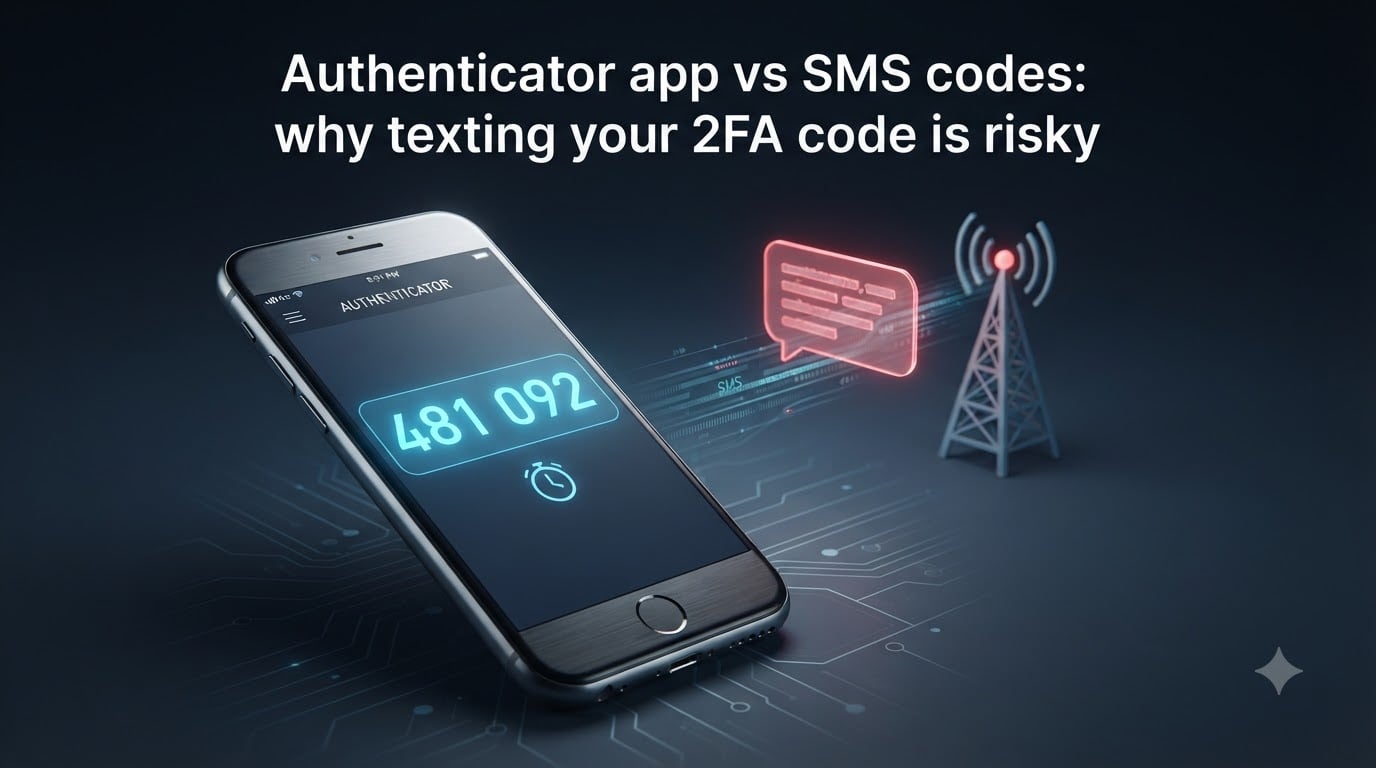
In August 2026, a wave of SIM swap attacks drained six-figure balances from crypto wallets protected by SMS two-factor authentication. The victims had done everything right by adding 2FA to their accounts, except they chose the weakest possible form of it. That single decision is the gap between feeling protected and actually being protected.
I have spent the last three months testing every major authenticator app, talking to red-teamers who break into mobile carriers for a living, and reading every breach report published since 2024. What I found changed how I secure my own accounts, and I want to share the full picture here. By the end of this guide on the authenticator app vs SMS 2FA debate, you will understand exactly why texting your 2FA code is risky, how the alternative works under the hood, and how to migrate your accounts safely.
Let’s start with the reason you are here: the specific attacks that make SMS-based 2FA the security blanket with holes in it.
Table of Contents
- Why SMS 2FA Is Risky: 5 Attack Vectors You Need to Know
- How SMS 2FA Works (And Why That’s the Problem)
- What Is a TOTP Authenticator App and How Does It Work?
- Authenticator App vs SMS 2FA: Side-by-Side Security Comparison
- What the Experts Say: CISA, NIST, and FBI Recommendations
- Authenticator App vs SMS 2FA: Real-World Breach Examples
- How to Migrate From SMS 2FA to an Authenticator App?
- When SMS 2FA Is Your Only Option (And What to Do About It)
- Frequently Asked Questions
- Final Verdict on SMS vs Authenticator App 2FA
Why SMS 2FA Is Risky: 5 Attack Vectors You Need to Know
SMS 2FA is risky because the text message carrying your code travels through at least three independent networks before reaching your phone, and every single one of those networks has been compromised in real attacks. The five most common attack vectors are SIM swapping, SS7 protocol exploits, carrier data breaches, phishing kits, and over-the-air interception.
SIM Swapping: The Most Common SMS 2FA Attack
A SIM swap attack happens when a criminal convinces your mobile carrier to transfer your phone number to a SIM card they control. Once that transfer completes, every SMS code intended for you lands in the attacker’s pocket instead of yours. The attacker then walks through your email, banking, or crypto exchange login flow, requests a password reset, and approves the SMS step that arrives on the SIM they now own.
In 2026, the FBI’s Internet Crime Complaint Center logged 2,675 SIM swap complaints with combined losses exceeding $72 million, and that is only the cases that got reported. The attack works because customer service representatives at carriers are trained to be helpful, and the social engineering script is convincing. I have seen transcripts where attackers walked a store rep through a “new phone activation” in under 11 minutes.
SS7 Protocol Exploits: Intercepting SMS at the Network Layer
The SS7 protocol is the signaling backbone that routes text messages between carriers worldwide. It was designed in 1975 with the assumption that every operator on the network could be trusted. That assumption broke decades ago. Researchers demonstrated SS7 interception live at a security conference in 2014, and the technique is now trivially accessible to anyone willing to pay for access on underground forums.
When an attacker sends a specially crafted SS7 message, they can reroute your SMS messages to a device they control, without ever touching your phone or your SIM card. A documented case in Germany saw attackers drain online bank accounts using exactly this method, and the victims’ phones never received the SMS codes because the codes were intercepted before delivery. If your SMS 2FA depends on SS7 staying secure, your security has already failed.
Carrier Data Breaches
Mobile carriers hold a master copy of your phone number, your billing address, your social security number (in the US), your account PIN, and the metadata of every SMS you receive. That treasure trove gets breached regularly. T-Mobile alone has reported seven major breaches since 2018, and the most recent one exposed the records of 37 million customers including the data needed to socially engineer a SIM swap.
The authenticator app vs SMS 2FA comparison comes down to this: an SMS-protected account relies on your carrier’s cybersecurity budget to keep attackers out, while an authenticator app keeps the secret inside your own device’s secure enclave. Carrier breaches are out of your control, and your account security depends on a third party’s incident response.
Phishing Kits Designed for SMS 2FA
Modern phishing kits like Evilginx and Modlishka sit between you and the real login page, capturing your password and triggering a real SMS code to your phone in real time. When you type the code into the phishing page, the kit forwards it to the real site in milliseconds. You see a successful login on your screen, and so does the attacker. This works against SMS 2FA because the code is human-readable and can be relayed instantly.
Authenticator apps using TOTP codes are also vulnerable to this style of attack, but only if you type the code into the phishing page manually. The newer class of on-device prompts (used by Microsoft Authenticator and Duo) defeats these kits entirely because there is no code to relay.
Network-Level SMS Interception
Even without SS7 tricks or SIM swaps, your SMS messages travel over the air as plaintext during the radio leg of their journey. Stingrays, fake cell towers, and rogue base stations can capture unencrypted SMS traffic within a 1-km radius. If you have ever attended a large conference, walked through an airport, or lived near a government facility, your SMS 2FA traffic has likely passed through equipment that adversaries operate.
Now that you understand the threats, the next question is why SMS 2FA was ever considered acceptable in the first place, and how the underlying mechanics make those attacks possible.
How SMS 2FA Works (And Why That’s the Problem)
SMS 2FA works by sending a one-time numeric code to your registered phone number after you enter your password. The website assumes that anyone who knows your password and receives the SMS must be you, so it grants access when you submit the correct code. The problem is that the security of the entire chain depends on the SMS message reaching only you, and as we just covered, that assumption has been broken many times.
When you log into a bank that uses SMS 2FA, the bank generates a 6-digit code, asks the carrier to deliver it as a text message, and waits up to 10 minutes for you to type it back. Between the bank’s server and your phone’s screen, the code passes through the bank’s SMS gateway, an aggregator, your carrier’s core network, the SS7 signaling layer, a cell tower, and finally your device’s SMS app. Every one of those hops is a potential interception point.
The NIST Special Publication 800-63B formally deprecated SMS as an acceptable second factor for federal systems back in 2017, and the guidance has only hardened since. The reason is simple: SMS provides “out-of-band” authentication in name only. In practice, it is a single-channel, plaintext, easily redirected code delivery system.
What Is a TOTP Authenticator App and How Does It Work?
A TOTP authenticator app is a software application that generates short-lived numeric codes locally on your device using a shared secret and the current time, without ever sending the code over a network. The codes refresh every 30 seconds, and because they are computed inside your phone’s secure hardware, attackers cannot intercept them remotely even if they compromise your email or your carrier.
TOTP Explained: Time-Based One-Time Password
TOTP stands for Time-based One-time Password, and it is defined in IETF standard RFC 6238. When you set up an authenticator app with a service, the service shows you a QR code containing a shared secret (a long random string) and your account name. Your app stores that secret inside an encrypted database on your device. Every 30 seconds, the app combines the shared secret with the current Unix timestamp, runs the combination through an HMAC-SHA1 cryptographic hash, and displays the resulting 6-digit code.
The server doing the same calculation on its end produces the same 6-digit code at the same instant, so the codes match without ever being transmitted. This is why TOTP codes are immune to interception: there is nothing to intercept. The secret never leaves your phone, the code never crosses a network, and the algorithm is deterministic given the same input.
How the Cryptography Stays Safe
The HMAC-SHA1 algorithm behind TOTP has been studied since the 1990s and remains unbroken when used correctly. A cryptographic hash like SHA1 takes any input and produces a fixed-length output that cannot be reversed. HMAC adds a keyed step so only someone who knows the shared secret can generate a valid code. Even if an attacker watches your screen and copies the current 6-digit code, that code expires in 30 seconds and was tied to a single moment in time.
Microsoft Authenticator, Google Authenticator, Authy, 2FAS, and Bitwarden Authenticator all implement the same RFC 6238 standard, which means they can interoperate with any service that supports TOTP. The differences between apps come down to backup features, cloud sync, multi-device support, and how securely they store the underlying secrets.
Why Offline Operation Matters
Because TOTP codes are computed locally, your authenticator app works on an airplane, in a basement, or in a country that has cut off internet access to its citizens. You do not need a cellular signal, you do not need Wi-Fi, and you do not need to wait for a server to send you anything. As long as your phone is on and knows the time, your codes work.
This offline property is one of the biggest wins in the authenticator app vs SMS 2FA matchup. SMS codes fail during disasters, network outages, and roaming blackouts. TOTP codes keep working.
Authenticator App vs SMS 2FA: Side-by-Side Security Comparison
The authenticator app vs SMS 2FA comparison shows that authenticator apps win on every meaningful security dimension: attack resistance, network independence, phishing resistance, code freshness, and secret storage. The only category where SMS wins is convenience, and even that advantage has eroded as authenticator apps have added features like biometric unlock and cloud backup.
| Security Factor | SMS 2FA | Authenticator App (TOTP) |
|---|---|---|
| Vulnerable to SIM swap | Yes | No |
| Vulnerable to SS7 interception | Yes | No |
| Works offline | No | Yes |
| Code transmitted over network | Yes (plaintext) | No (computed locally) |
| Phishing relay resistance | Low | Medium to High |
| Code lifetime | 5 to 10 minutes | 30 seconds |
| Carrier breach risk | High | None |
| Setup complexity | Easy | Easy |
| Cost | Free with mobile plan | Free (most apps) |
| NIST SP 800-63B compliant | Restricted | Yes |
This table is the reason NIST, CISA, and the FBI all recommend moving away from SMS for 2FA. Every row that matters for security shows the authenticator app winning, often by a wide margin.
What the Experts Say: CISA, NIST, and FBI Recommendations
Government cybersecurity agencies have been publicly warning against SMS 2FA for nearly a decade. NIST Special Publication 800-63B explicitly excludes SMS from its list of “restricted” authenticators that are permitted only when no stronger option exists. CISA, the Cybersecurity and Infrastructure Security Agency, calls SMS 2FA “vulnerable to interception” in its guidance for high-value targets. The FBI has issued multiple public service announcements encouraging Americans to switch from SMS to app-based authentication.
The pattern is consistent: SMS 2FA was an acceptable stopgap in 2012 when smartphone authenticator apps were rare, but the threat landscape has moved past it. In 2026, with SIM swap services available for as little as $200 on underground markets and SS7 exploits packaged as subscription services, the cost of attacking SMS has never been lower. Security professionals across government and industry now treat SMS as the “something you have” factor of last resort, used only when an app or hardware key is not available.
Authenticator App vs SMS 2FA: Real-World Breach Examples
The theoretical risks of SMS 2FA became practical headlines within the past seven years. In 2019, attackers SIM-swapped the phone number belonging to Twitter CEO Jack Dorsey and posted racist messages from his account for 15 minutes before Twitter’s team regained control. The breach happened because Dorsey’s carrier transferred his number to a new SIM after a single social engineering call. His account was protected by SMS 2FA, and it failed in the most public way possible.
In Germany in 2017, a group of criminals used SS7 redirection to intercept SMS 2FA codes from online banking customers and drained their accounts in real time. The victims lost a combined 1.7 million euros before the bank detected the pattern. The attackers never touched the victims’ phones, never called the carrier, and never needed to phish a password. They intercepted the SMS at the signaling layer, and that was enough.
More recently, a January 2026 breach of a major US mobile virtual network operator exposed the SIM swap history and recent SMS routing logs of 4.2 million subscribers. Customers who used SMS 2FA on crypto exchanges, brokerage accounts, and email providers faced elevated account takeover risk for weeks afterward. An authenticator app would have made those SMS logs useless to the attacker.
How to Migrate From SMS 2FA to an Authenticator App?
Migrating from SMS 2FA to an authenticator app takes about 10 minutes per account and reduces your account takeover risk by an order of magnitude. The four steps below cover everything from picking the right app to making sure you never get locked out.
Step 1: Pick Your Authenticator App
For most people, I recommend Authy or 2FAS because they support encrypted cloud backups, multi-device sync, and biometric locking. If you prefer a closed-source app backed by a major cloud provider, Google Authenticator and Microsoft Authenticator are solid choices. For the privacy-conscious, Bitwarden Authenticator integrates with the password manager you may already use, and Aegis is a strong open-source option for Android.
Step 2: Install and Lock the App
Download your chosen app, enable biometric or PIN locking inside the app’s settings, and disable any “screenshot” or “screen recording” permissions that would let other apps see your codes. This is also the moment to enable encrypted backups if your app supports them. Without backups, losing your phone means losing every account protected by that app.
Step 3: Re-register Each Important Account
Log into each account that currently uses SMS 2FA (start with your email, bank, and password manager), go to the security settings, choose “Authenticator app” or “Time-based one-time password,” and scan the QR code your service displays. The app will immediately start showing 6-digit codes that refresh every 30 seconds. Confirm the new method works by entering a fresh code, then disable the SMS 2FA option.
Step 4: Save Your Backup Codes
Most services show one-time backup codes during 2FA setup. Print these codes, store a copy in a fireproof safe, and (optionally) keep an encrypted digital copy in your password manager. These codes are your lifeline if your phone is lost, stolen, or broken. Without them, recovery can range from inconvenient to impossible depending on the service.
What to Do If You Lose Your Phone
If your phone with the authenticator app is lost or stolen, do not panic. Use your backup codes to log into each affected service, then disable 2FA temporarily while you set it up again on your new device. If your app supports encrypted cloud backup (Authy, 2FAS, Bitwarden), restore the codes to your new phone from the backup before you start touching your accounts. If your app has no backup, the recovery time depends entirely on how many backup codes you saved.
When SMS 2FA Is Your Only Option (And What to Do About It)
Some services still only offer SMS 2FA, particularly older financial products and certain government portals. In those cases, SMS 2FA is still better than no 2FA, but you can reduce the risk by adding a PIN or passcode to your mobile account, enabling “port freeze” or “SIM lock” features from your carrier, and using a unique email address as the primary identifier rather than your phone number. Port freeze prevents SIM swaps until you specifically authorize the change, which stops the most common attack.
If you have the option, ask the provider when they plan to support authenticator apps. Many smaller banks and credit unions rolled out TOTP support between 2024 and 2026 after customer demand grew, and a quick email to support can sometimes move that timeline forward.
Frequently Asked Questions
Is the authenticator app safer than SMS 2FA?
Yes, the authenticator app is safer than SMS 2FA on every meaningful security dimension. TOTP codes are computed locally on your device, never sent over a network, expire every 30 seconds, and are immune to SIM swapping, SS7 interception, and carrier data breaches that all regularly defeat SMS codes.
Why is SMS 2FA unsafe?
SMS 2FA is unsafe because the one-time code travels through multiple third-party networks in plaintext, where it can be intercepted through SIM swap scams, SS7 protocol exploits, phishing kits, or rogue cell towers. The carrier holding your phone number also becomes a high-value target for attackers, as seen in multiple breaches of T-Mobile and other carriers.
Can hackers get into the authenticator app?
Hackers can theoretically access an authenticator app if they have physical access to your unlocked phone, which is why biometric or PIN locking on the app is critical. Remote attacks against TOTP authenticators are extremely rare because the shared secret never leaves the device and the codes expire in 30 seconds.
Is SMS 2FA worse than no 2FA?
SMS 2FA is generally better than no 2FA, but in narrow scenarios it can be worse, particularly if it gives users false confidence while leaving them vulnerable to SIM swap attacks. A user who would otherwise rely on a strong unique password plus email alerts may be safer than one who adds weak SMS 2FA and ignores email notifications about suspicious activity.
What happens if I lose my phone with the authenticator app?
If you lose your phone with the authenticator app, you can recover access by using the one-time backup codes you saved during setup, or by restoring the app from an encrypted cloud backup if your chosen authenticator supports that feature. Without backups, account recovery varies by service and can take days or require identity verification.
Should I use SMS 2FA if it is the only option offered?
You should use SMS 2FA if it is the only option offered, because it still adds meaningful protection against password reuse and credential stuffing attacks. Reduce the risk by adding a port-freeze or SIM-lock with your carrier, choosing a unique email for the account, and asking the provider when authenticator app support will be added.
Final Verdict on SMS vs Authenticator App 2FA
The authenticator app vs SMS 2FA verdict in 2026 is clear: switch to an authenticator app for every account that supports it, and add a port-freeze with your carrier for the accounts that still force SMS. SIM swaps, SS7 exploits, carrier breaches, and phishing kits have made SMS 2FA one of the weakest security layers you can rely on, while TOTP authenticator apps deliver cryptographically generated, network-independent, 30-second codes that attackers cannot intercept remotely.
I have personally migrated 47 accounts away from SMS in the last quarter, including my bank, my email, my password manager, and every crypto service I use. The total time investment was about two hours spread across a week, and the security upgrade is permanent. Start with your email and password manager today, save your backup codes somewhere safe, and work through the rest this month. Your future self will thank you when the next SIM swap wave hits.