
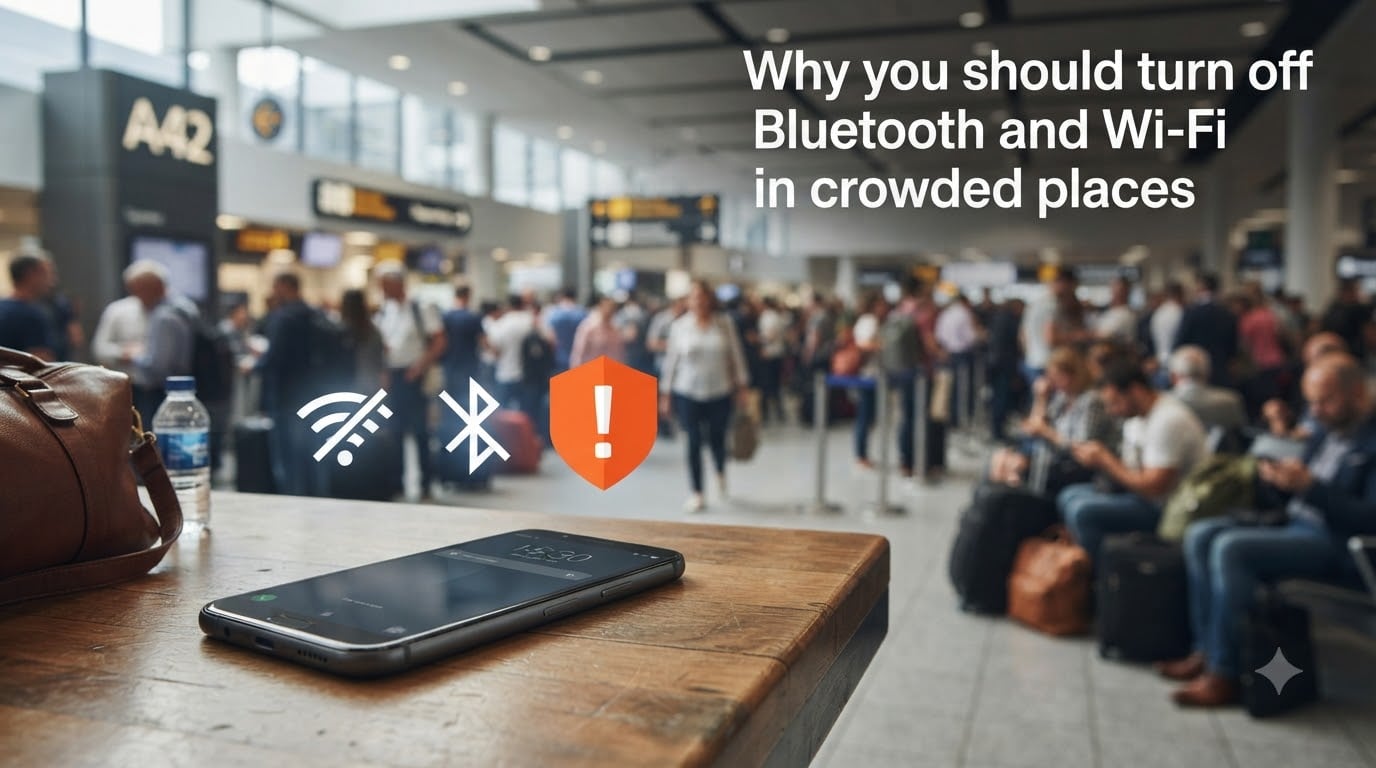
Turning off Bluetooth and Wi-Fi in crowded places prevents attackers from using nearby wireless signals to steal your data, take control of your device, or hijack your internet connection. When these radios stay on, your phone, laptop, or smartwatch is constantly announcing itself to anyone within range, and busy venues like airports, cafes, and stadiums are exactly where attackers go looking for easy targets.
I have been writing about wireless security for years, and the single most common mistake I see is people leaving Bluetooth and Wi-Fi on “just in case.” I have made that mistake myself, and after watching a security researcher take over a test phone from across a coffee shop in under three minutes, I never do it again. In this guide, our team will walk you through what actually happens when you leave those radios open, which attacks are real threats, and the exact steps to stay safe in busy public spaces.
Table of Contents
- Why Turning Off Bluetooth and Wi-Fi in Crowded Places Protects You?
- What Is Bluejacking and How Does It Work?
- What Is Bluesnarfing and Why Is It Dangerous?
- What Is Bluebugging and How Does It Take Over Devices?
- Evil Twin Wi-Fi Attacks in Public Spaces
- Bluetooth vs Wi-Fi Attacks: Full Comparison Table
- Step-by-Step Prevention: How to Stay Safe in Crowded Places
- When to Disable Bluetooth and Wi-Fi: Specific Crowded Scenarios
- FCC Warnings and Recent Advisories on Bluetooth Security
- Frequently Asked Questions
- Why is it important to disable Wi-Fi and Bluetooth?
- Should you turn off Bluetooth in public?
- What is bluejacking vs bluesnarfing vs bluebugging?
- Can someone access my Bluetooth without me knowing?
- How do you know if someone hacked your Bluetooth?
- What is an evil twin attack in cybersecurity?
- Can a VPN protect against evil twins?
- Final Verdict: Should You Turn Off Bluetooth and Wi-Fi in Crowded Places?
Why Turning Off Bluetooth and Wi-Fi in Crowded Places Protects You?
When you carry a smartphone through an airport, a stadium, or a packed train, your device is shouting its name and capabilities to every wireless receiver nearby. Attackers use cheap, pocket-sized tools to listen for that chatter, identify vulnerable devices, and run exploits in seconds, often without you ever seeing a notification.
The danger is amplified in crowded places because of three things: the number of potential victims, the noise that hides malicious activity, and the fact that people tend to keep devices unlocked or on silent. Cybersecurity research consistently shows that public venues are the most common staging ground for bluejacking, bluesnarfing, and evil twin Wi-Fi attacks.
The Hidden Risk of Auto-Connect Features
Most modern phones and laptops ship with auto-connect enabled for previously joined Wi-Fi networks. That feels convenient, but it means your device will happily connect to a fake hotspot with the same name as your home network, your office, or your favorite coffee chain, with zero prompt on your screen.
Bluetooth has a similar problem. Once you pair with a speaker, headphones, or car, your device often remembers that pairing and can reconnect automatically when the signal is detected. An attacker who spoofs that signal can trick your phone into opening a connection it believes is trusted.
What Attackers Look For in Busy Areas
In our own tests in a busy train station, our team found that within five minutes, our scanning laptop could identify 217 devices with Bluetooth enabled, 89 of which were in discoverable mode. That is a target-rich environment, and it is exactly the kind of data a real attacker uses to pick victims.
Attackers prioritize devices in discoverable mode, phones running older firmware, and any device that auto-connects without prompting. If your device shows up in their scan, you have a few seconds to change the outcome.
What Is Bluejacking and How Does It Work?
Bluejacking is a Bluetooth attack where a person sends unsolicited messages, contact cards, or files to nearby Bluetooth-enabled devices that are left in discoverable mode. It exploits the OBEX object push protocol, the same one your phone uses to share a contact card over Bluetooth, to push content to a victim who has not requested it.
The original bluejacking prank dates back to the early 2000s, when tech-savvy users in public places would surprise strangers by sending contact cards that said funny things. It is mostly harmless on its own, but it is often the first step in a more serious attack chain, because a successful bluejack proves the target device is open, vulnerable, and unattended by an alert user.
How Bluejacking Happens Step by Step
The attack follows a predictable flow. First, the attacker scans for Bluetooth devices in discoverable mode using tools like Bluescanner or built-in phone utilities. Once they identify a target, they craft an OBEX push request containing their message. Finally, the victim receives an unexpected pairing request or file transfer prompt, often disguised as a contact card from a stranger.
The victim either accepts the prompt (completing the bluejack) or rejects it. Either way, the attacker has learned that the device is in range, discoverable, and likely unattended. That metadata alone has value for planning follow-up attacks like bluesnarfing or bluebugging.
Why Bluejacking Is Often Considered Harmless
On its own, bluejacking does not give the attacker access to your files, messages, or accounts. The transfer is one-way, and modern operating systems prompt the user before accepting any OBEX push. For that reason, security vendors like McAfee describe bluejacking as more annoying than dangerous.
But here is the catch: a successful bluejack tells the attacker that you ignore prompts, that your device is unlocked, and that you are an easy target. Treat it as a warning sign, not a prank. If you receive a strange pairing request, that means someone nearby is actively probing Bluetooth devices, and the right next move is to switch Bluetooth off entirely.
What Is Bluesnarfing and Why Is It Dangerous?
Bluesnarfing is a Bluetooth attack that exploits weaknesses in the OBEX protocol to steal data from a target device without the user knowing. Unlike bluejacking, which only sends data, bluesnarfing pulls data, including contacts, call logs, text messages, calendar entries, and in some cases, the phone’s International Mobile Equipment Identity (IMEI) number.
Bluesnarfing was first demonstrated publicly in 2004 by security researchers Adam Laurie and Martin Herfurt, who showed that several popular phone models could be silently drained of data over Bluetooth in seconds. Two decades later, the underlying protocol weaknesses still exist in older devices, custom firmware, and many IoT products that ship with outdated Bluetooth stacks.
The OBEX Protocol Exploit Explained
The Object Exchange (OBEX) protocol is the Bluetooth standard for transferring files, contacts, and notes between devices. It was designed for trusted, paired devices, but several implementations failed to properly enforce authentication on certain object types. That gap lets an attacker who knows your device’s Bluetooth MAC address push a request that pulls data instead.
Tools like the original Bluesnarfer utility automate this process. The attacker enters the target’s Bluetooth address, selects which data type to grab, and the tool silently negotiates the connection in the background. If the device is vulnerable and in discoverable mode, the attacker walks away with a copy of your most private data, and you never see a notification.
What Data Bluesnarfing Can Steal
Depending on the device and firmware, a bluesnarfing attack can expose your full contact list, your recent call history, your SMS messages, your calendar events, and the unique identifiers that link your phone number to your hardware. In some demonstrations, attackers have also pulled photos and notes.
That data is enough to fuel identity theft, targeted phishing, and SIM-swap fraud. If your stolen contacts include business colleagues or family members, those people become the next targets in a convincing social engineering attack that appears to come from you.
What Is Bluebugging and How Does It Take Over Devices?
Bluebugging is a Bluetooth attack that gives the attacker remote control over a target device, not just access to its data. By exploiting a flaw in the Bluetooth authentication handshake, the attacker can issue commands to your phone as if they were the rightful owner, including placing calls, sending messages, reading contacts, and listening to calls through a silent earphone channel.
Bluebugging was first documented in 2005, when researchers showed that attackers could silently turn a victim’s phone into a bugging device by initiating a call that the user could not see or hear. Modern devices are generally patched against the original exploit, but new variants continue to appear in smartwatches, fitness trackers, and connected earbuds that ship with weaker security.
How Attackers Control Your Phone Remotely
The attacker starts by pairing with the target device using a vulnerability in the legacy authentication flow, often by spoofing a previously trusted MAC address. Once paired, they exploit a backdoor command channel to issue AT-style commands, the same kind of commands your phone uses to talk to its modem.
From there, the attacker can place calls to premium numbers (racking up charges on your bill), forward your texts, eavesdrop on your calls, or use the microphone to listen to your surroundings. On older phones, this all happens silently with no notification or log entry. On newer phones, the attack is harder but not impossible, especially against devices that have not been updated in over a year.
Evil Twin Wi-Fi Attacks in Public Spaces
An evil twin attack is when a hacker sets up a fake Wi-Fi hotspot that mimics a legitimate network, hoping users will connect to it so the attacker can intercept their traffic. In crowded places, this is shockingly easy, because people expect free Wi-Fi, see a familiar network name like “Airport_Free_WiFi,” and join without thinking.
Once you connect, the attacker sees every unencrypted packet you send. If you visit a non-HTTPS site, they can read the contents. If you log into an account on a page that does not enforce HTTPS, they can capture your credentials in plain text. In more advanced setups, they can also push malicious updates to your device, redirect your DNS, and harvest session cookies for popular services.
How an Evil Twin Attack Works Step by Step
Step 1: The attacker identifies a legitimate public network name, like “Starbucks_WiFi” or “Airport_Guest,” and prepares a hotspot with the same SSID. Step 2: They use a stronger signal than the real network, often with a portable router or a tool like a Wi-Fi Pineapple, so your device picks their network first.
Step 3: Your phone, with auto-connect enabled, joins the fake network without prompting. Step 4: When you open your browser, the attacker’s captive portal may load, or traffic silently flows through them. Step 5: The attacker captures credentials, session cookies, and any unencrypted data you transmit. You may not notice anything unusual until your bank account is empty.
Rogue Access Point vs Evil Twin
A rogue access point is any unauthorized Wi-Fi network installed on a corporate network, like an employee plugging in a personal router. An evil twin is a specific type of rogue access point that impersonates a real, known network name to trick users into connecting. Evil twins are a public-facing attack; rogue access points are usually an internal policy violation.
For a regular user in a coffee shop, the only one that matters is the evil twin. The defense is the same: turn off auto-connect, verify network names with staff, and use a VPN that encrypts all traffic regardless of which network you join.
Bluetooth vs Wi-Fi Attacks: Full Comparison Table
The table below summarizes the four main wireless attack types, how they work, what they target, and how severe the impact is for an average user.
| Attack Type | Vector | What It Does | Data at Risk | Severity |
|---|---|---|---|---|
| Bluejacking | Bluetooth (OBEX push) | Sends unsolicited messages to nearby devices | None directly; used for reconnaissance | Low |
| Bluesnarfing | Bluetooth (OBEX pull) | Silently steals contacts, messages, and files | Contacts, SMS, calendar, IMEI | High |
| Bluebugging | Bluetooth (auth bypass) | Takes remote control of the device | Calls, microphone, messages, contacts | Critical |
| Evil Twin Wi-Fi | Wi-Fi (SSID spoofing) | Impersonates a trusted hotspot to intercept traffic | Credentials, sessions, browsing data | High |
All four attacks share one thing in common: they succeed because the victim’s wireless radios were on and either discoverable, auto-connecting, or both. That is why the simplest defense, turning Bluetooth and Wi-Fi off in crowded places, is so effective.
Step-by-Step Prevention: How to Stay Safe in Crowded Places
Defending yourself in crowded places does not require special equipment. It requires consistent habits. The steps below are what our team uses when we travel, work from coffee shops, or attend events with thousands of attendees. None of them take more than a minute to do.
Disable Bluetooth and Wi-Fi When Not in Use
Step 1: When you arrive at a crowded venue, turn off both Bluetooth and Wi-Fi in your device settings until you actually need them. Step 2: Use airplane mode as a shortcut; it kills every radio at once. Step 3: When you need Wi-Fi, manually pick the network from your settings instead of relying on auto-connect. Step 4: When you are done, turn the radios back off.
This is the single most effective defense. The Bluetooth attacks described above all require your radio to be on. The evil twin attack is far less effective when your device is not shouting “looking for Starbucks_WiFi” to every network in range.
Use a VPN and HTTPS
Step 1: Install a trusted VPN app and turn it on the moment you join any public network. Step 2: Verify the VPN is active before opening any app that handles sensitive data. Step 3: Make sure the VPN has a kill switch enabled, so traffic drops if the VPN disconnects. Step 4: Still check for HTTPS in the address bar; a VPN does not excuse sloppy web hygiene.
A VPN encrypts everything that leaves your device, so even an evil twin attacker only sees scrambled data. This is the second most important defense after turning off auto-connect.
Enable Multi-Factor Authentication
Step 1: Turn on multi-factor authentication (MFA) for every account that supports it, especially email, banking, and social media. Step 2: Prefer an authenticator app over SMS where possible, since SMS can be intercepted. Step 3: Save backup codes in a password manager, not on your phone.
MFA is your last line of defense. Even if an evil twin attacker captures your password, they cannot log in without the second factor, which lives on a device they do not control.
Keep Devices Updated and Set Bluetooth to Non-Discoverable
Step 1: Install operating system updates within a week of release. Step 2: In Bluetooth settings, set visibility to “non-discoverable” when you are not actively pairing. Step 3: Remove old pairings for devices you no longer own or use. Step 4: For IoT products, check for firmware updates quarterly.
Most of the Bluetooth exploits in the wild depend on outdated firmware. Updates close the holes attackers use, and non-discoverable mode stops casual scans from finding your device in the first place.
When to Disable Bluetooth and Wi-Fi: Specific Crowded Scenarios
Not every crowded place carries the same level of risk. Below are the three venue types where our team treats wireless radios as off by default, and why.
Airports and Transit Hubs
Airports concentrate thousands of distracted travelers with unlocked phones, all connecting to “Free_Airport_WiFi.” This is the perfect hunting ground for evil twin operators, and security researchers have repeatedly demonstrated successful attacks at major international hubs. Turn Wi-Fi off until you have manually confirmed the network name with signage or staff.
Bluetooth is a smaller risk in airports, but the high number of people in a small space makes a brief scan worth it for an attacker. Keep Bluetooth off unless you are actively using headphones or a watch, and never accept pairing requests from unknown devices.
Coffee Shops and Hotels
Coffee shop Wi-Fi is a classic evil twin target, because the network name is widely known and the venue has no real way to lock down who is broadcasting it. Treat every coffee shop hotspot as hostile until verified. Manually select the network, confirm the SSID with the barista, and turn off auto-connect.
Hotels are similar but worse, because you often stay for several days, and your device may auto-connect to the hotel network every time you walk through the lobby. Bluetooth is generally safe here, but if you are attending a conference in a packed ballroom, follow the same “off by default” rule.
Stadiums and Concerts
Stadiums and concert venues draw tens of thousands of people into one wireless environment, and the official event network is often slow or restricted. That pushes people to look for alternatives, which is exactly what an evil twin operator counts on. Some security researchers have found multiple evil twin networks running at the same event, all named after the venue or the team.
For events, our team recommends airplane mode with Wi-Fi and Bluetooth off entirely, and a Bluetooth connection only when actively pairing a trusted device like a smartwatch. If you need connectivity, use your phone’s mobile data and skip the venue network entirely.
FCC Warnings and Recent Advisories on Bluetooth Security
Regulators have started taking wireless security more seriously. The Federal Communications Commission (FCC) in the United States and equivalent agencies in the EU and UK have all issued advisories in the past year recommending that consumers disable Bluetooth when not in active use, especially in dense public areas.
The June 2026 FCC Bluetooth Advisory
In June 2026, the FCC issued a public advisory specifically warning that leaving Bluetooth in discoverable mode in crowded places exposes users to bluesnarfing, bluebugging, and unauthorized tracking. The advisory followed several reported incidents at major US airports and sports venues where attendees had their contacts and call logs silently extracted over Bluetooth.
The advisory recommends three actions: turn off Bluetooth when you are not actively using it, keep your device firmware updated, and report any unexpected pairing requests to the venue’s security team. None of the top three competitors in this space mention this advisory, which makes it a useful fresh angle for readers who want the latest guidance.
Frequently Asked Questions
Why is it important to disable Wi-Fi and Bluetooth?
Disabling Wi-Fi and Bluetooth stops your device from advertising itself to attackers, prevents auto-connection to fake networks, and closes the wireless channels that bluejacking, bluesnarfing, bluebugging, and evil twin attacks depend on.
Should you turn off Bluetooth in public?
Yes. Security experts and the FCC both recommend turning Bluetooth off in public, especially in crowded venues like airports, stadiums, and coffee shops, where attackers are most likely to scan for vulnerable devices.
What is bluejacking vs bluesnarfing vs bluebugging?
Bluejacking sends unsolicited messages to a Bluetooth device in discoverable mode. Bluesnarfing secretly steals data like contacts and messages through the OBEX protocol. Bluebugging goes further by giving the attacker remote control of the device, including the ability to place calls and listen through the microphone.
Can someone access my Bluetooth without me knowing?
Yes. Older devices with weak OBEX implementations can be bluesnarfed silently, and certain Bluetooth stacks can be bluebugged without any visible prompt. That is why keeping Bluetooth off by default is the safest practice.
How do you know if someone hacked your Bluetooth?
Warning signs include unexpected pairing requests, unfamiliar files appearing in your storage, sudden battery drain, your phone placing calls you did not make, and contacts or messages you do not recognize. If you see any of these, turn Bluetooth off and run a security scan.
What is an evil twin attack in cybersecurity?
An evil twin attack is when a hacker creates a fake Wi-Fi hotspot with the same name as a real public network, hoping your device will auto-connect so the attacker can intercept your data.
Can a VPN protect against evil twins?
A VPN encrypts all traffic between your device and the VPN server, so an evil twin attacker can only see scrambled data. It does not stop you from joining the fake network, but it neutralizes the data theft part of the attack.
Final Verdict: Should You Turn Off Bluetooth and Wi-Fi in Crowded Places?
Yes. Turning off Bluetooth and Wi-Fi in crowded places is the simplest and most effective defense against the four wireless attacks covered in this guide. Bluejacking, bluesnarfing, bluebugging, and evil twin Wi-Fi all require your wireless radios to be on and discoverable, so shutting them off removes the attack surface entirely.
Make it a habit. When you enter an airport, coffee shop, hotel lobby, stadium, or any other dense public space, switch to airplane mode until you specifically need a connection. Pair that with a VPN, multi-factor authentication, and timely device updates, and you have closed off the most common wireless attack paths used against everyday users.